Pricing

Free to plan. Subscribe for Plus.

The free plan does the planning itself, for as long as you like. Plus adds your money, documents, travel and memories with a monthly or annual subscription covering every cruise on your account, on every device.

Free

Everything you need to plan and run a cruise.

£0 forever

Start free
  • Day-by-day itinerary, ports and excursions
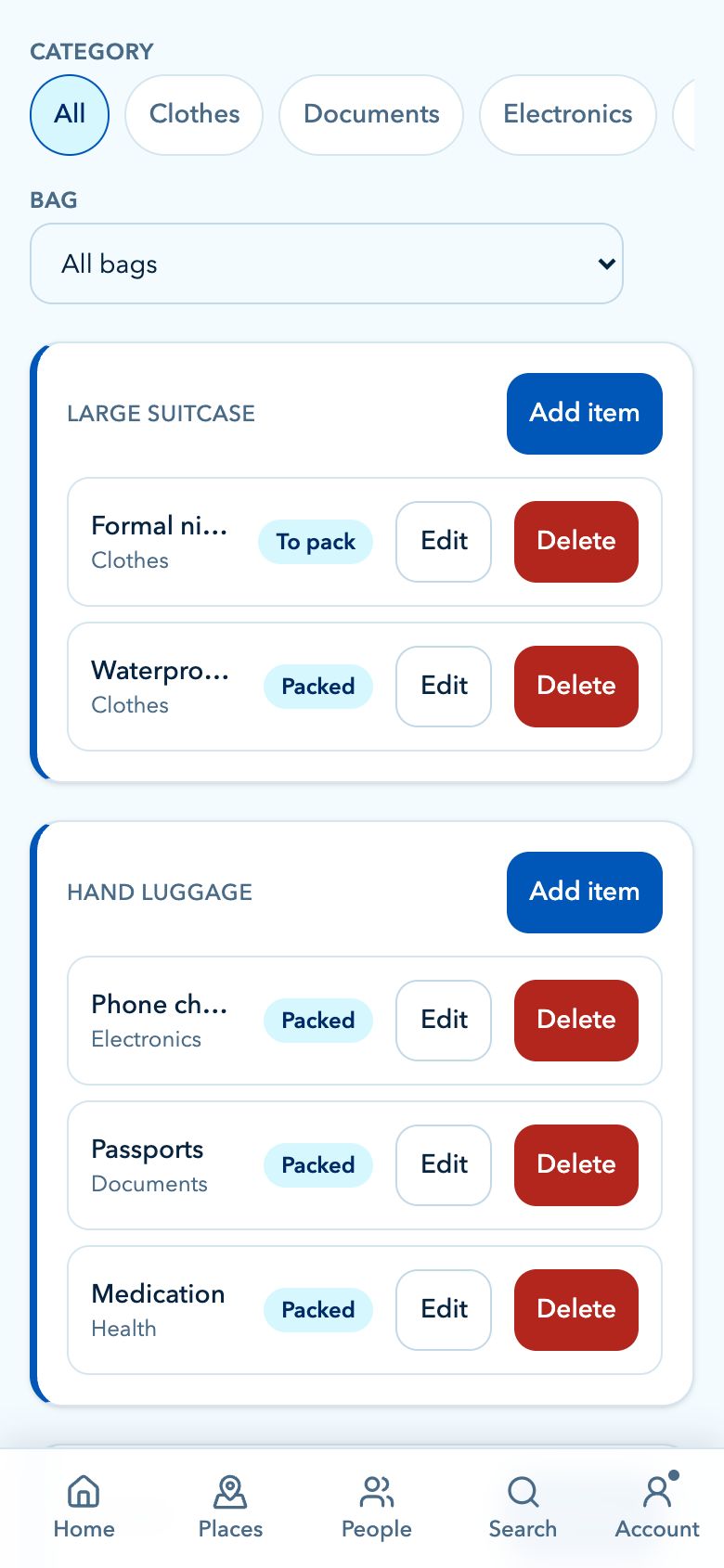
  • Packing lists and pre-cruise to-do lists
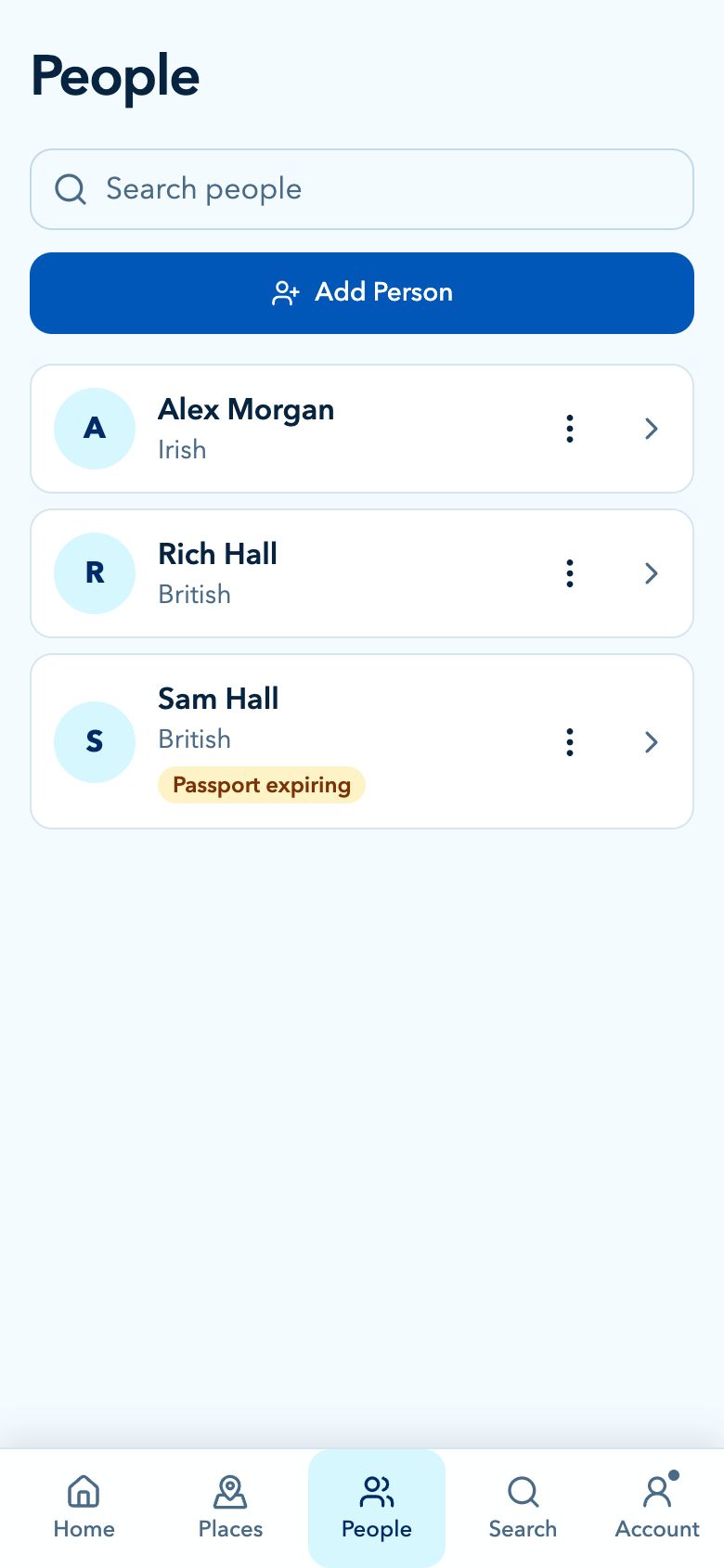
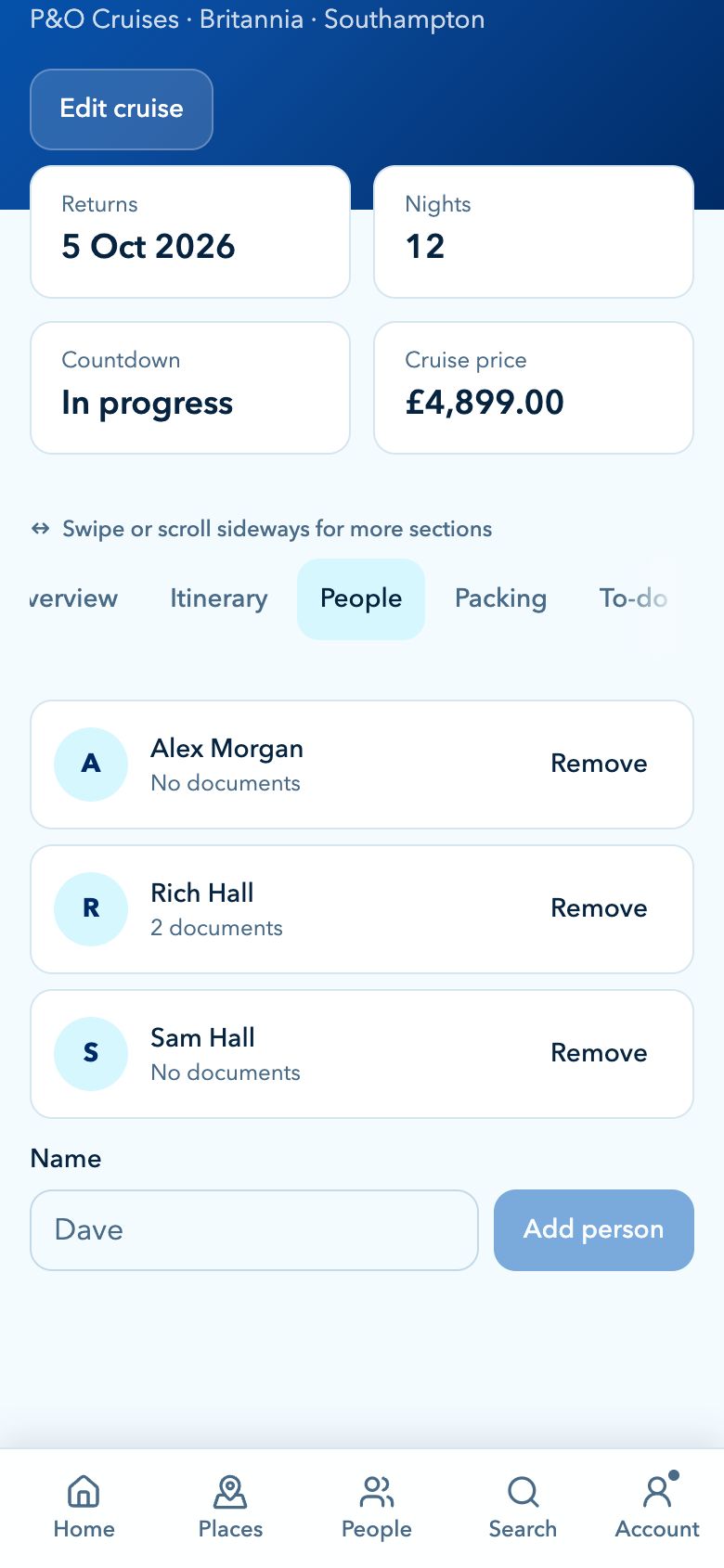
  • The people you are travelling with
  • Port guides, ship facts and cruise tips
  • Notes and reminders
  • Encrypted cruise sharing
  • Sync across all your devices
  • Two upcoming cruises at a time

Monthly or annual

Cruise Buddy Plus

Your money, your documents, your travel and your memories.

See current monthly and annual prices in the app.

Renews automatically. Cancel before your next renewal; Plus stays active through the period you have paid for. Applicable tax and local currency totals are shown at checkout.

See Plus plans

Everything in Free, plus:

  • Budget, balance tracking and onboard spending
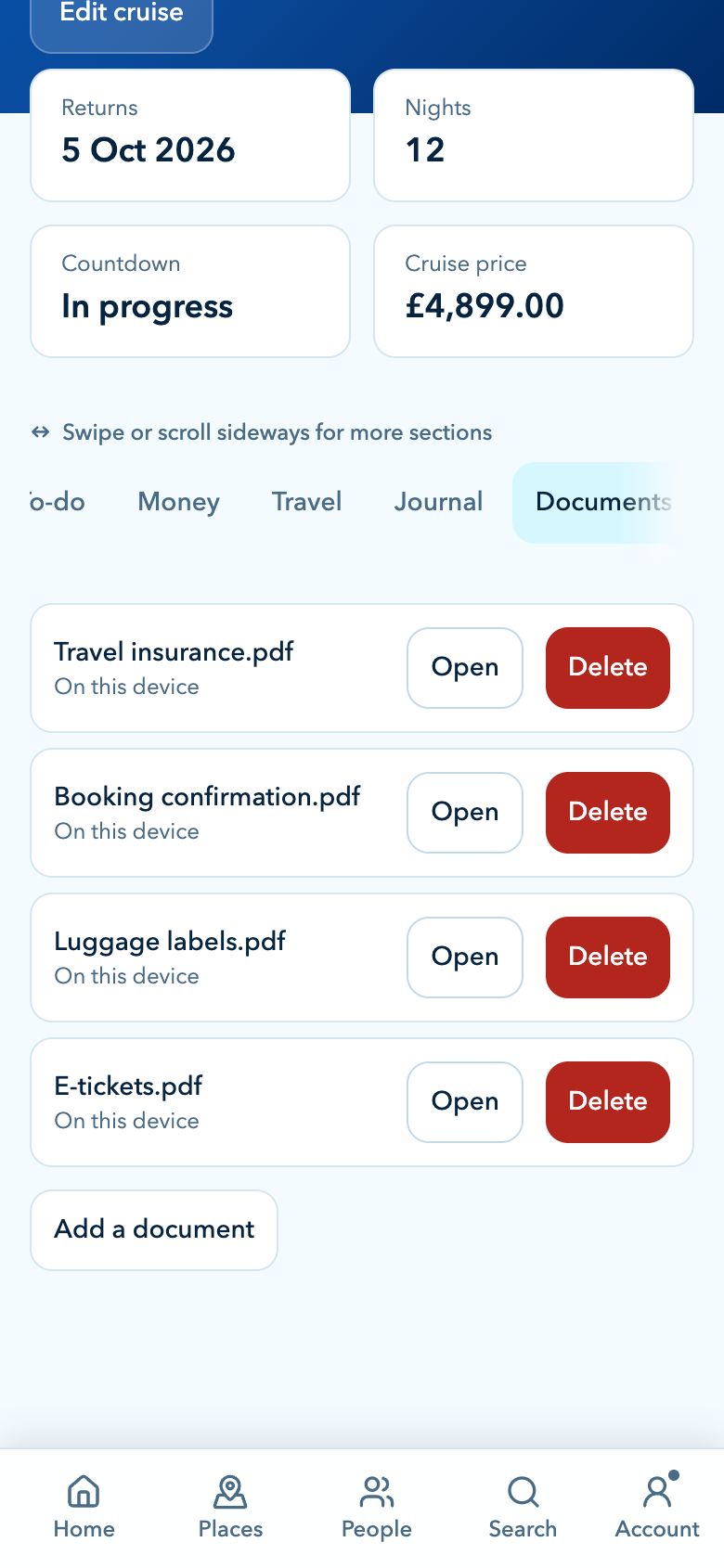
  • Travel documents: passports, tickets and insurance
  • Cruise journal with photos
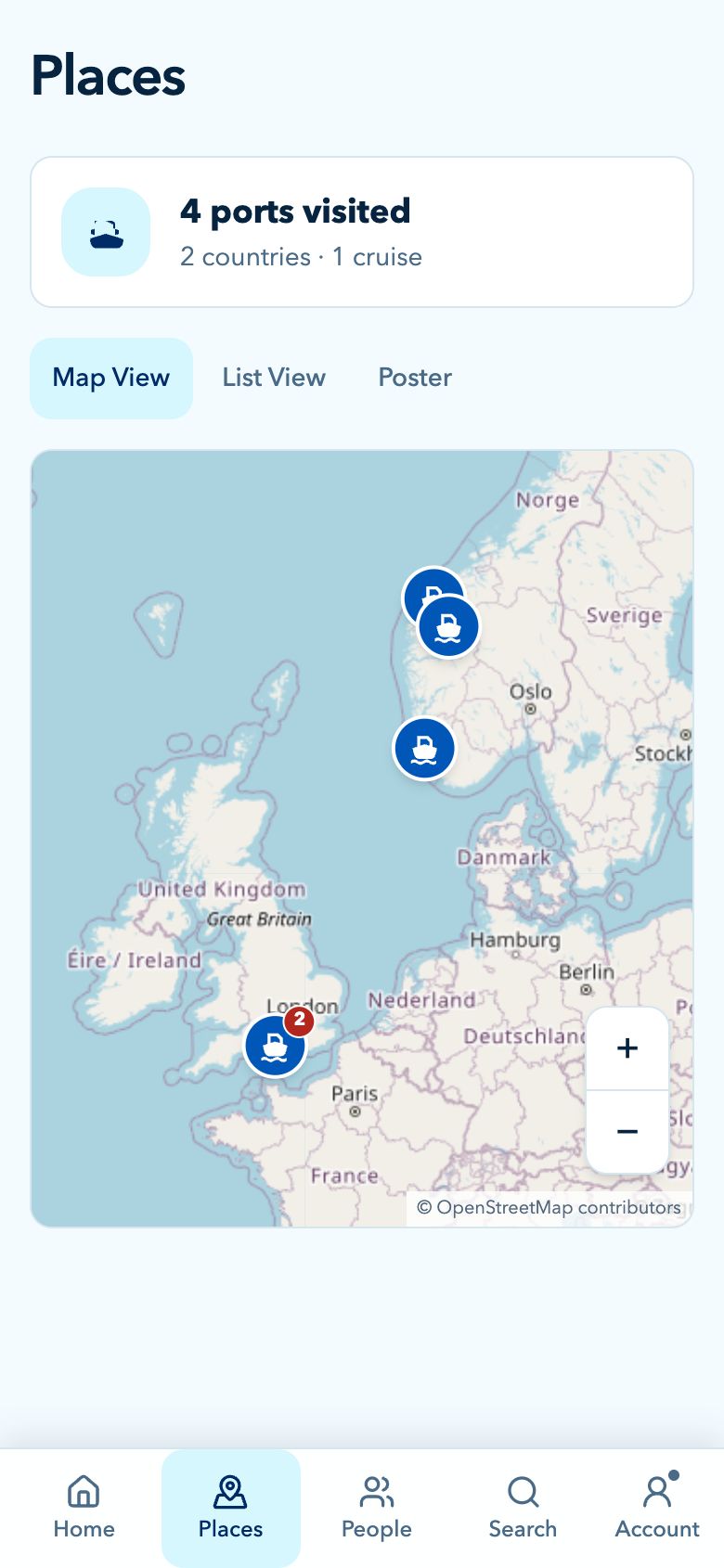
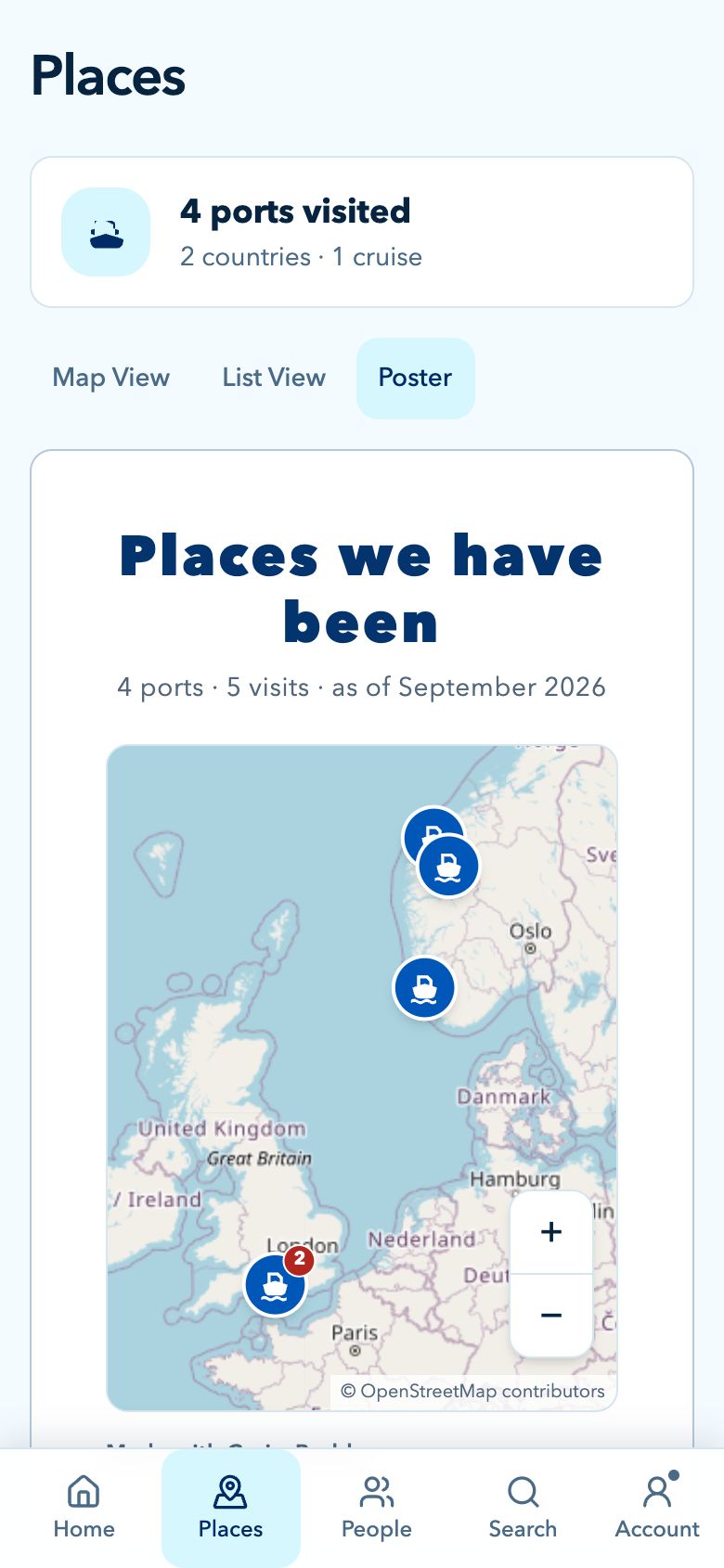
  • Places: a map and poster of every port you have visited
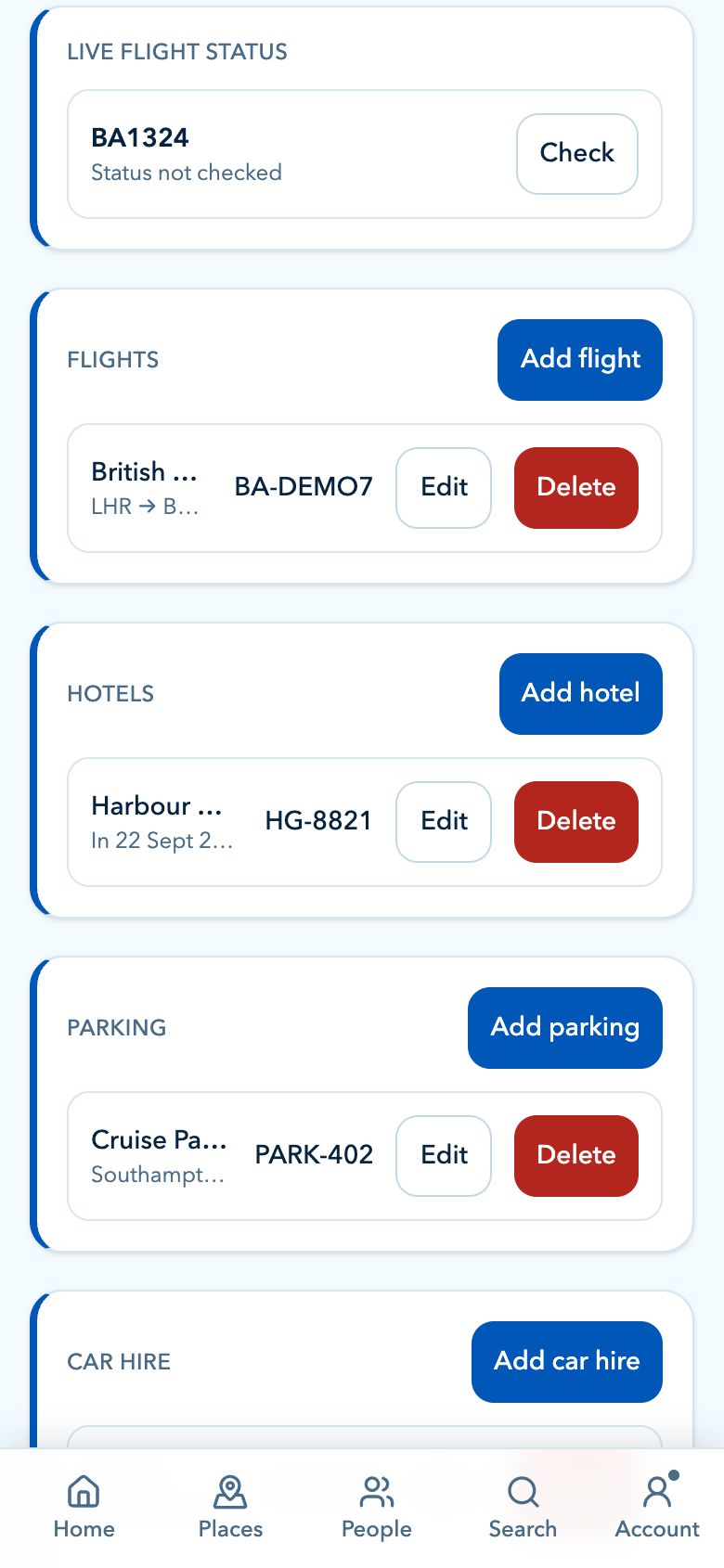
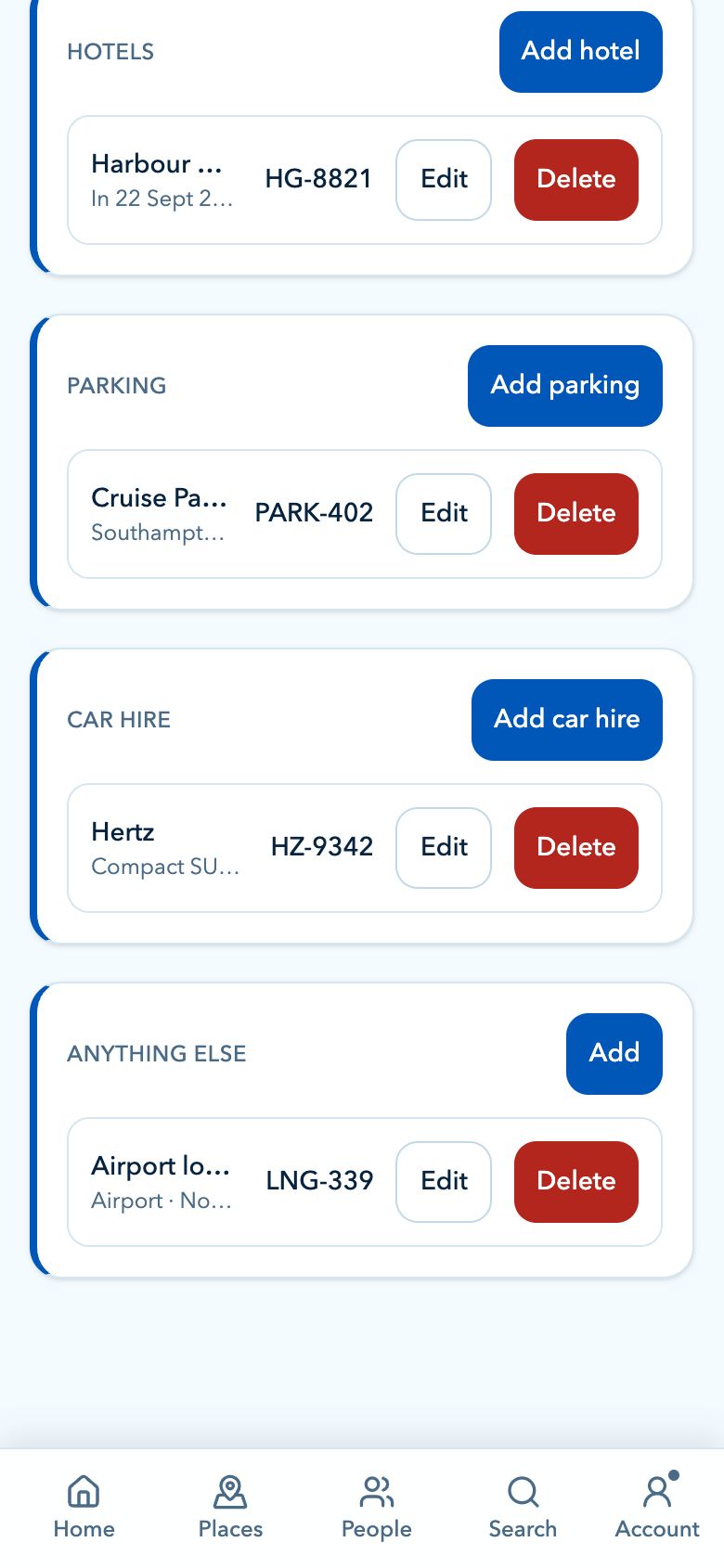
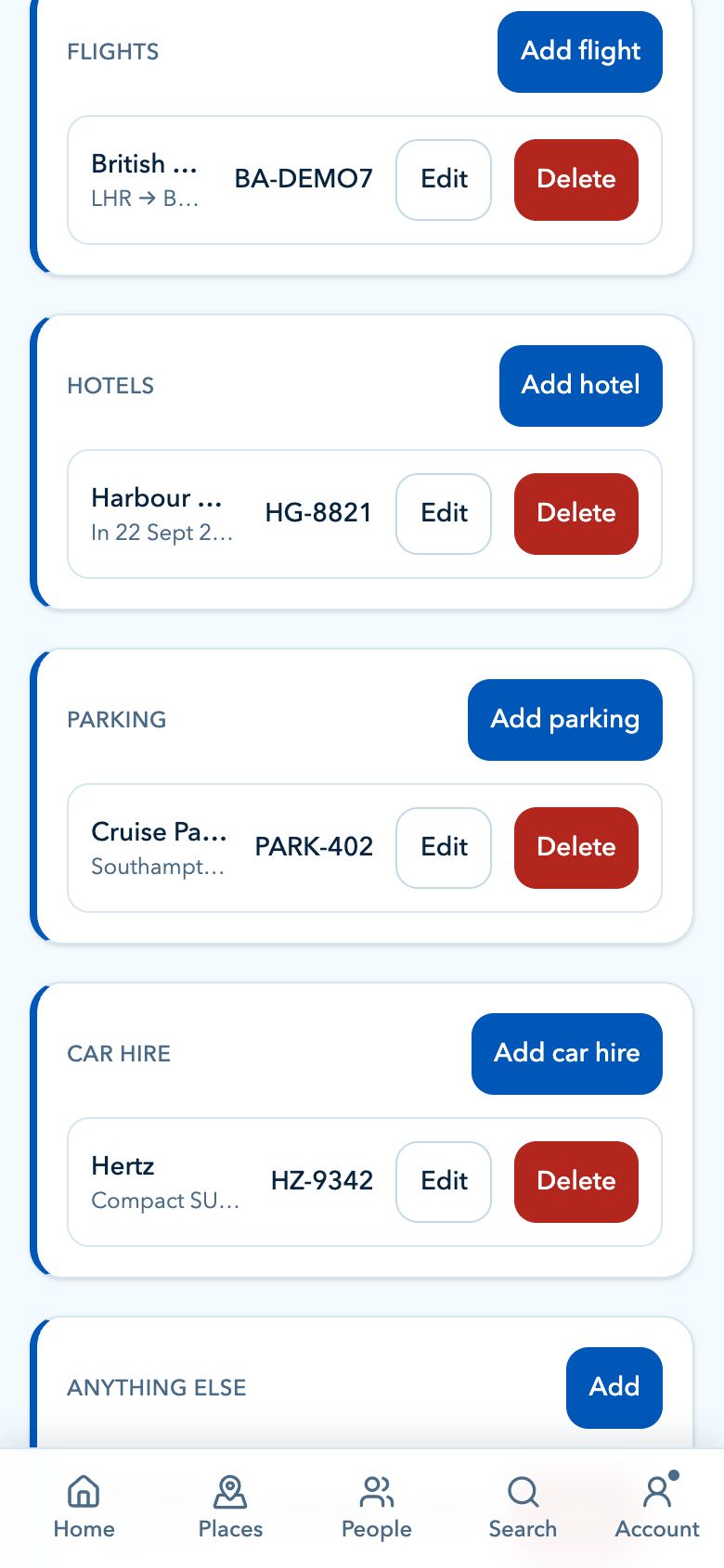
  • Hotels, flights, parking and car hire, with live flight status
  • Weather and sea conditions for every port
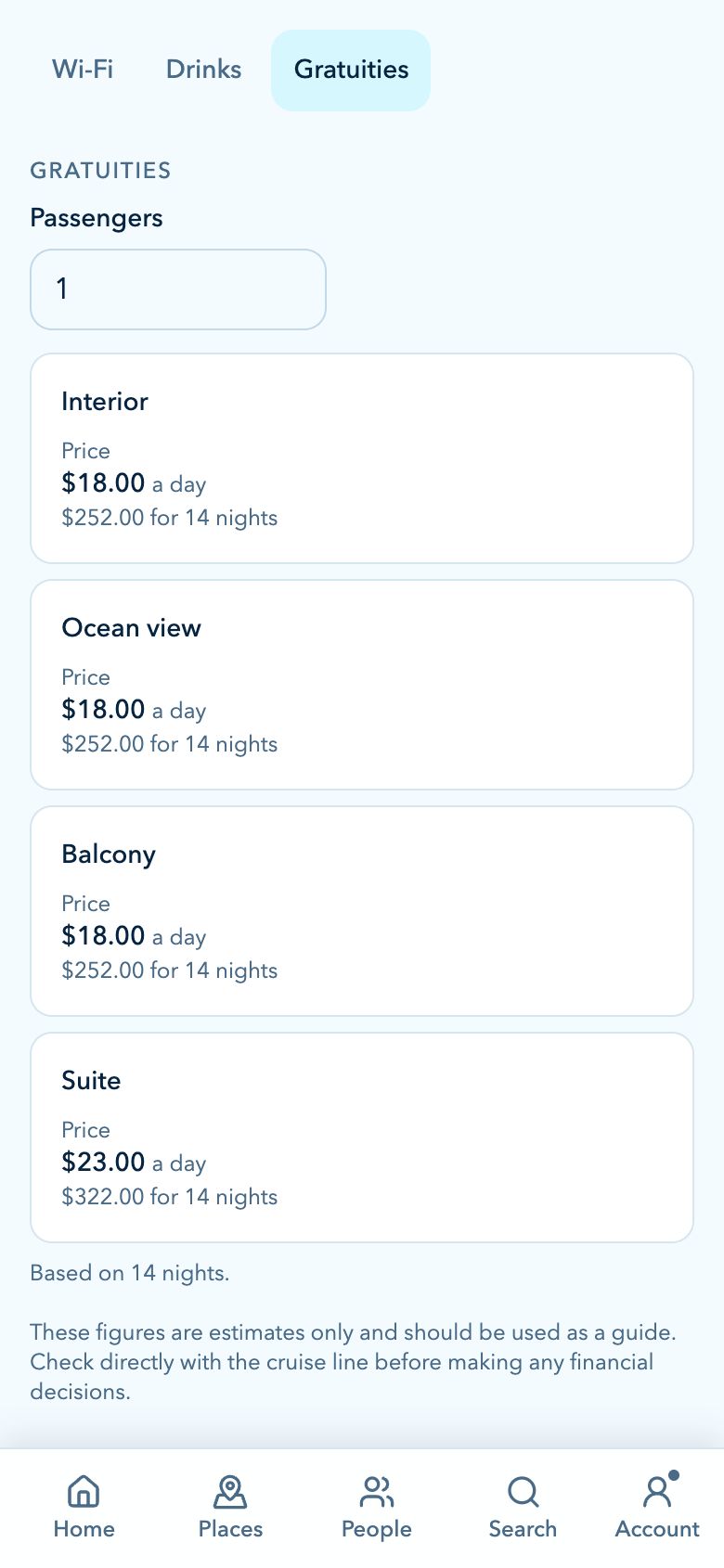
  • Deck plans, and Wi-Fi, drinks and gratuity planners
  • Documents and photos synced to every device
  • Unlimited cruises

No card needed to start. Anything you save is yours: if Plus ever lapses you can still read and remove everything, and only adding more is paused. Booked through a travel agent? Plus may already be included with your cruise. Existing lifetime Plus purchases keep their access.

Overview

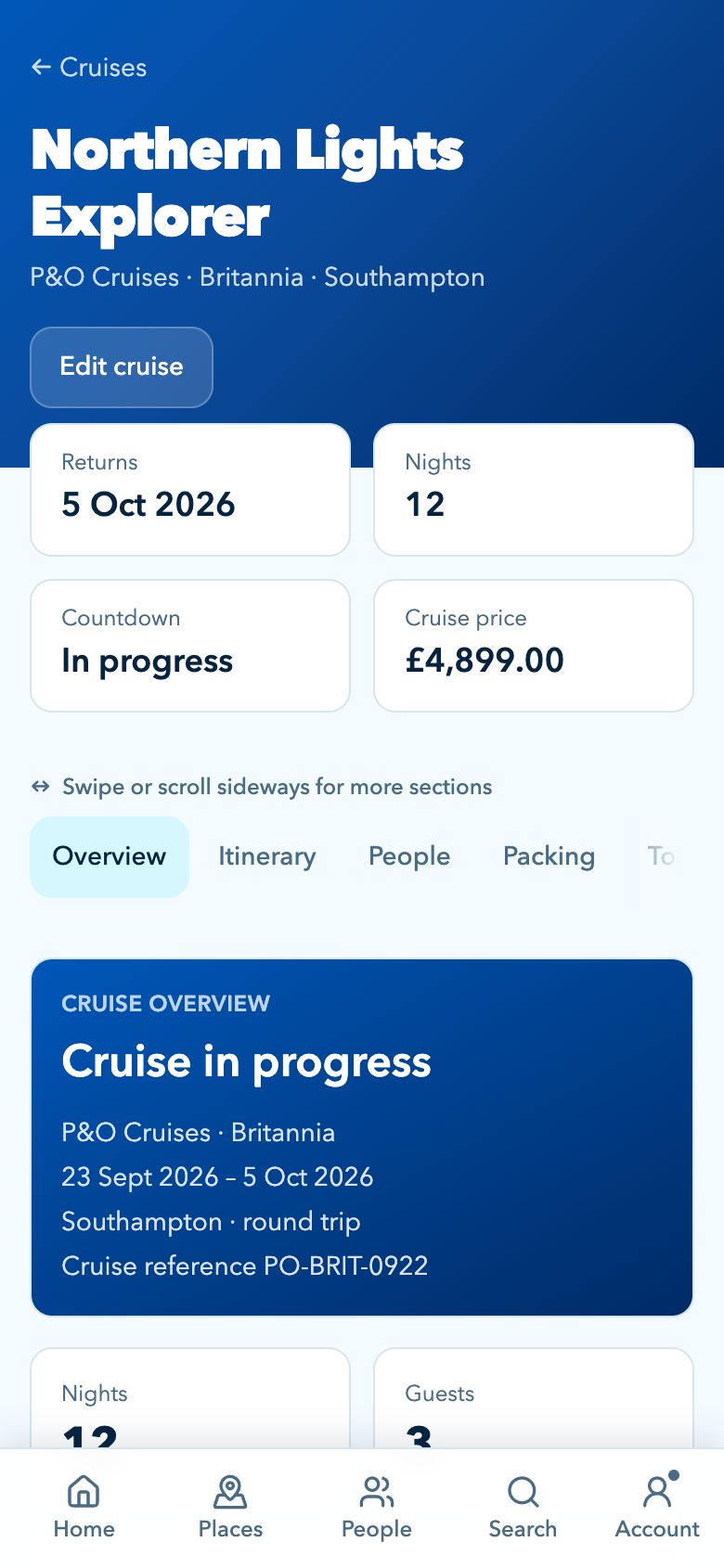
Your cruise plan, day by day.

Start with the sailing and build out the useful details around each day, from ports and excursions to weather and reminders.

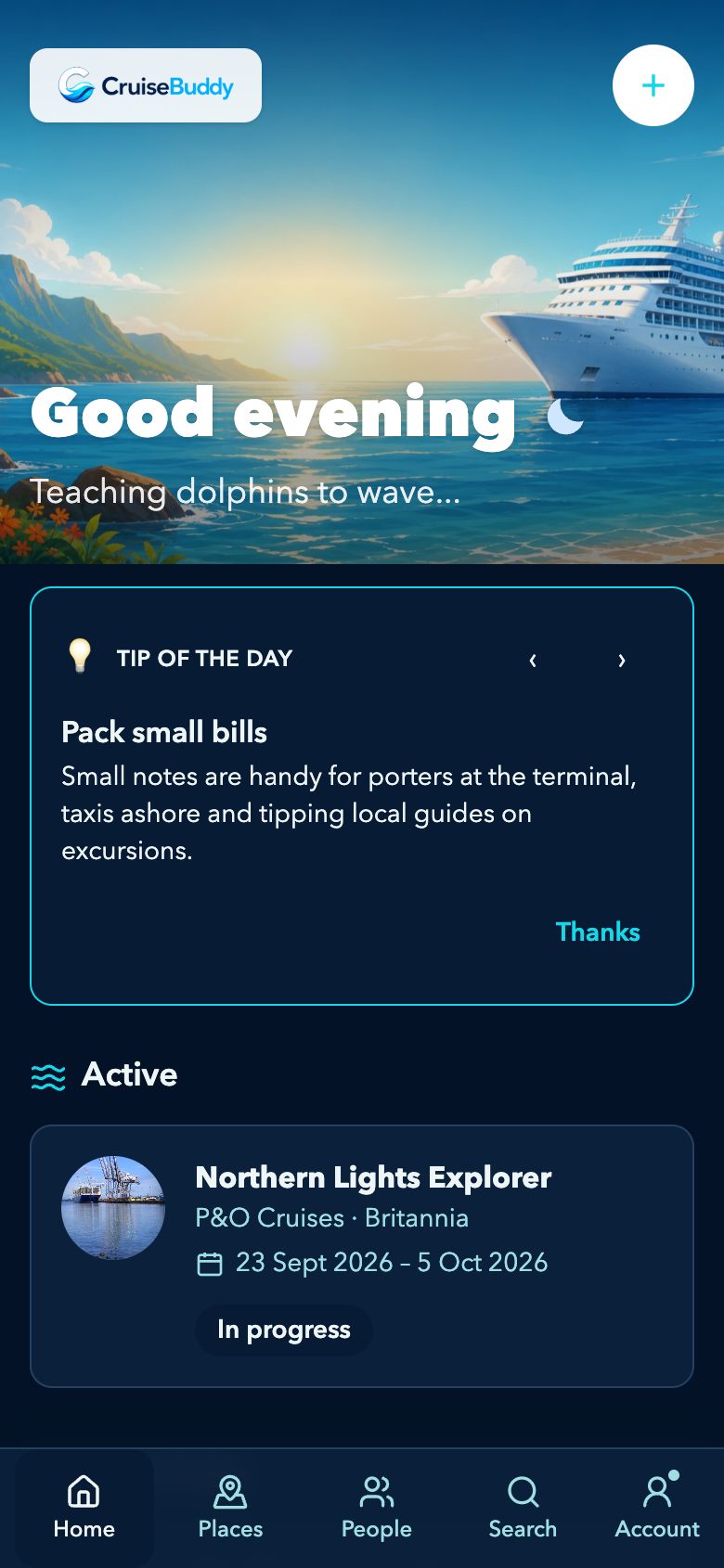
Add the cruise line, ship, sail dates, cabin and ports once. CruiseBuddy turns it into a clean, day-by-day itinerary so you can see what is happening before you are even on board.

  • Embark and disembark dates with a clear countdown
  • Port days with arrival, departure and time-in-port
  • Sea days, formal nights and evening events kept together
  • Cabin number and deck so you can find your way back

Itinerary

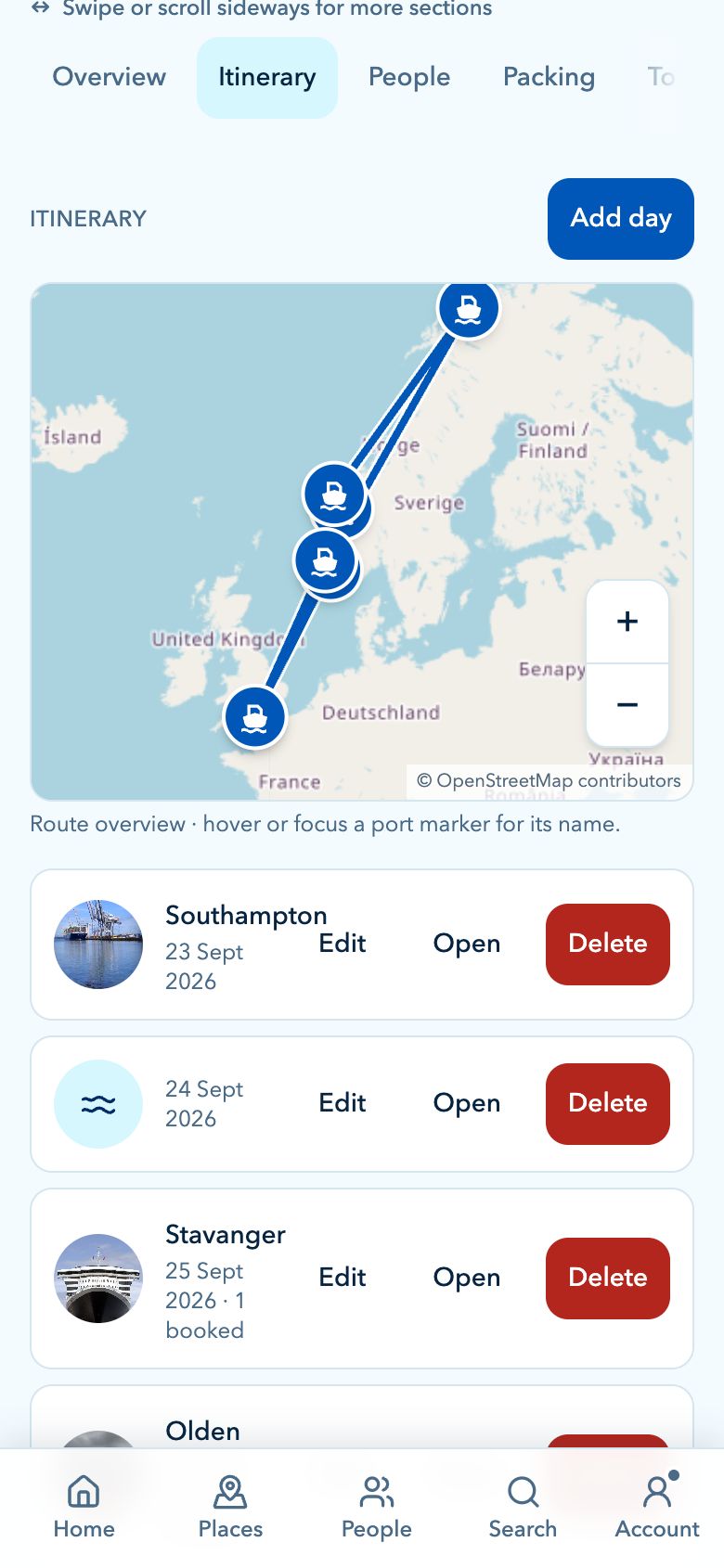
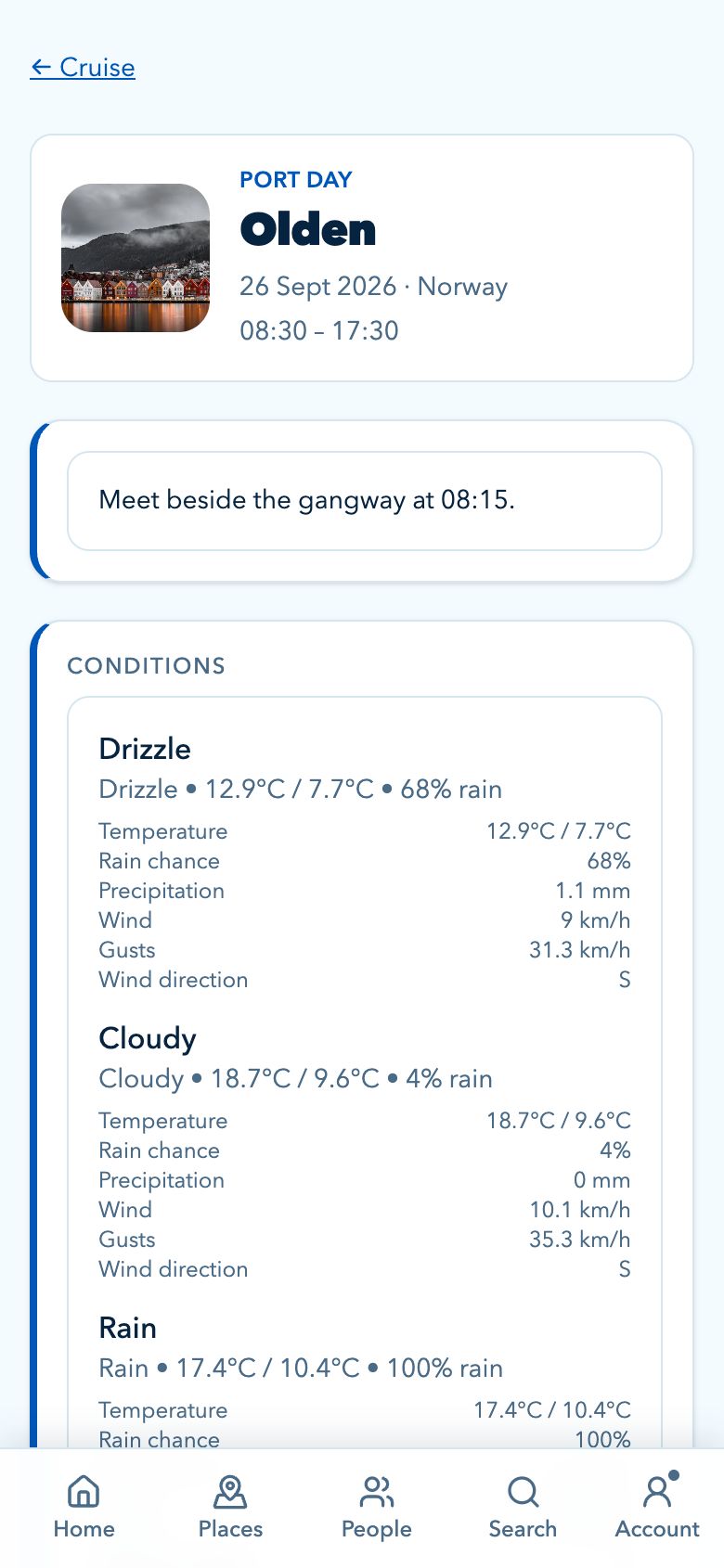
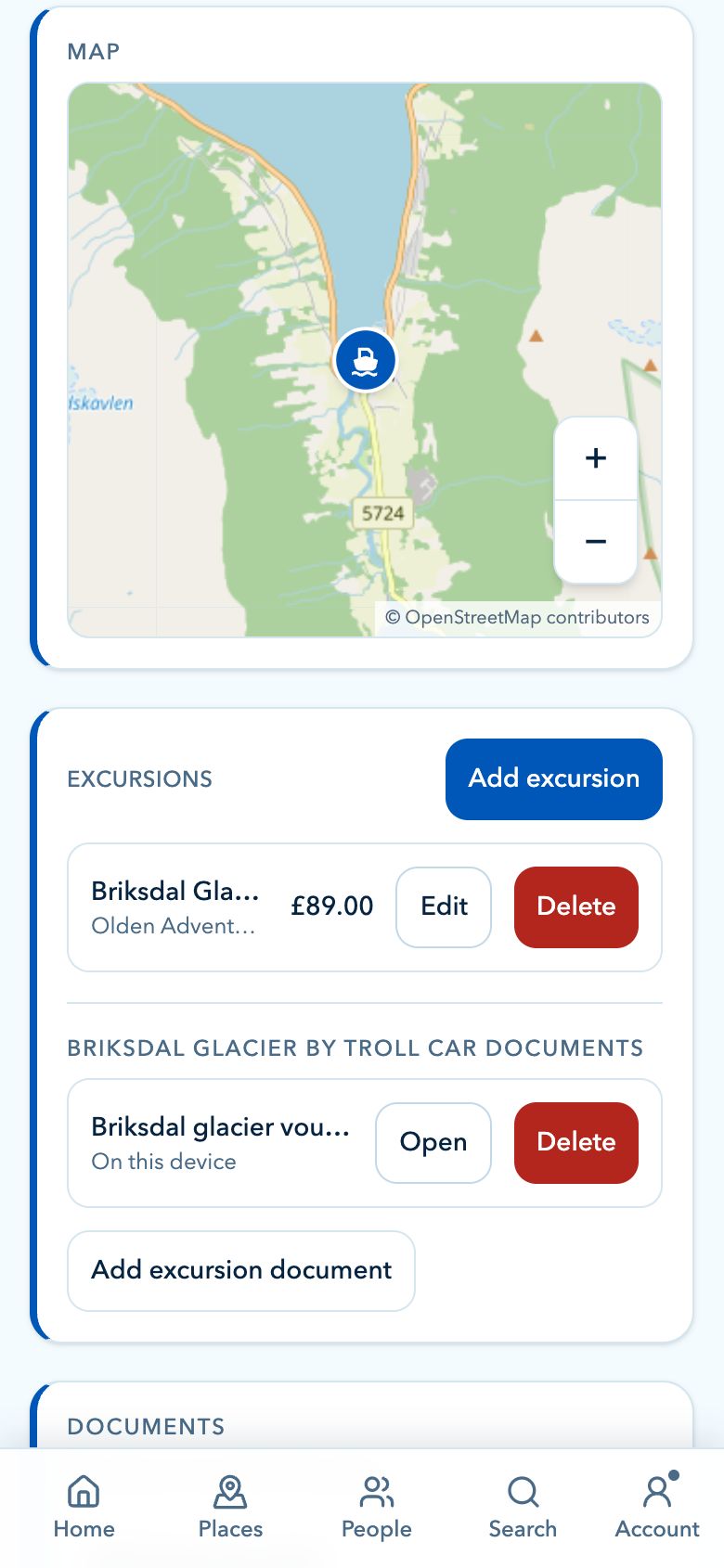
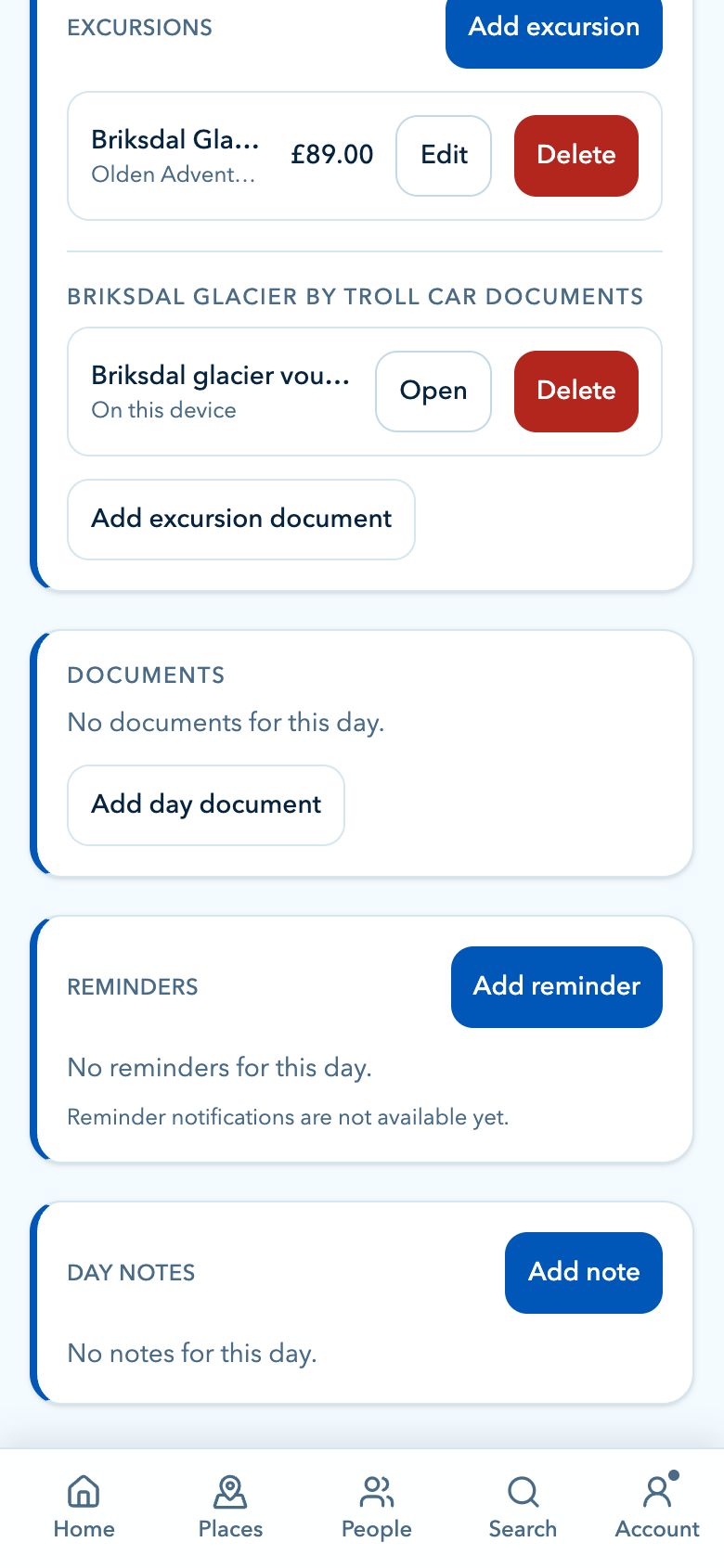
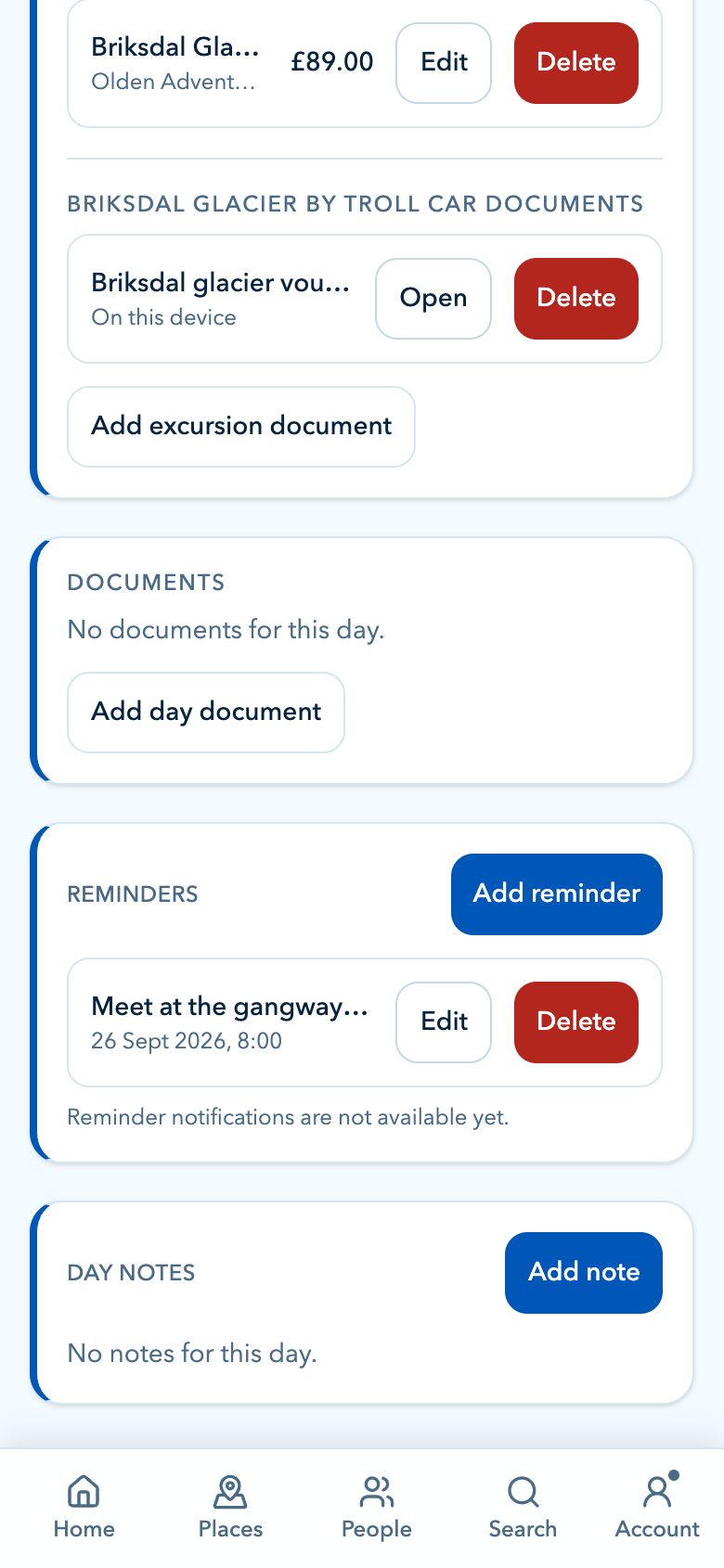
Each port day has the details you need.

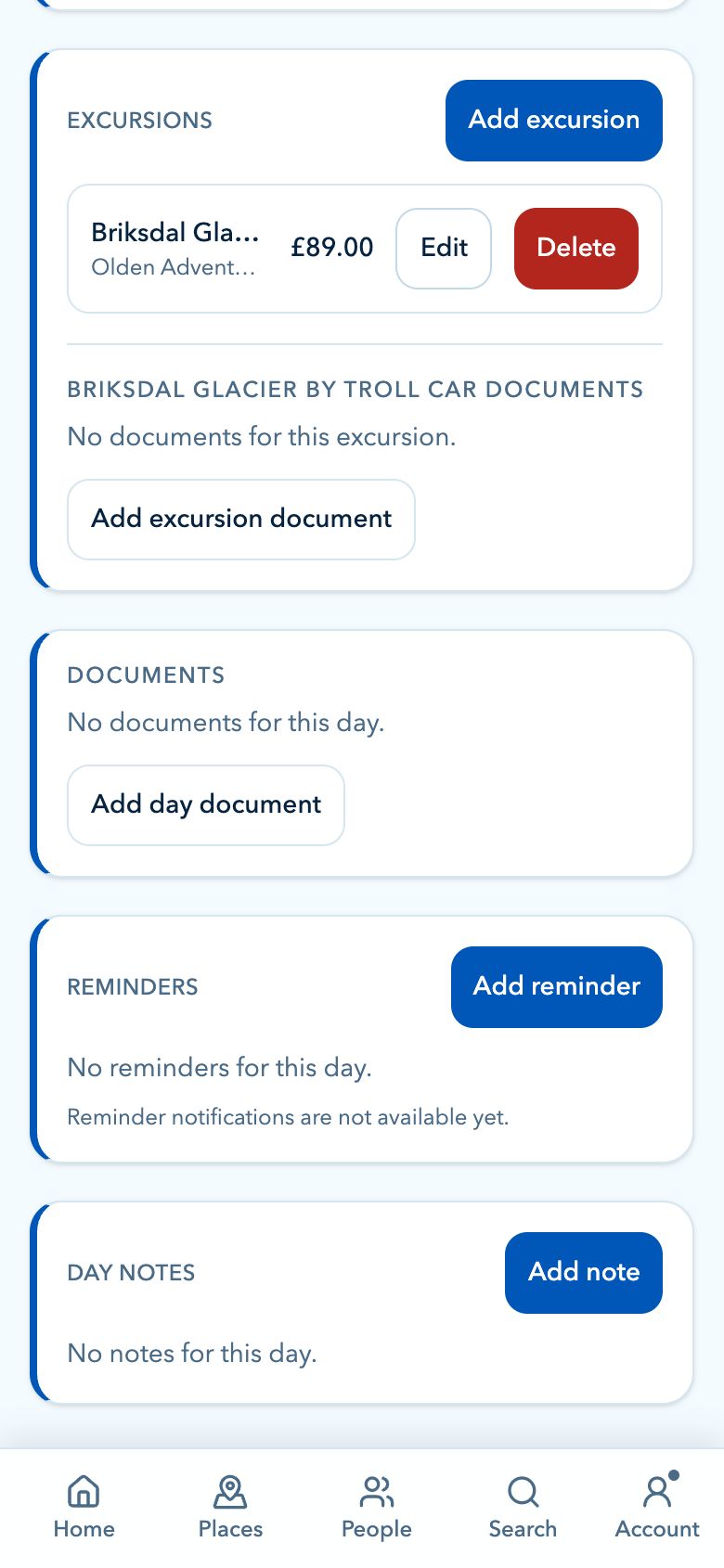
Open a day from your itinerary and CruiseBuddy keeps the practical port information in one focused place: excursions, weather and marine conditions, maps, documents and reminders.

  • Excursion times, providers, meeting points and references
  • Weather and sea conditions when forecasts are available Plus
  • Port maps with saved location coordinates
  • Documents tied to the exact itinerary day Plus
  • Reminders tied to the exact itinerary day

Excursions

Save tour titles, providers, start and end times, meeting points, booking references, costs and notes.

Conditions Plus

See weather and sea conditions for each port close to sailing, with automatic refreshes when data is available.

Maps

View the port on a map, use saved coordinates and get better context before you step ashore.

Documents Plus

Attach day-specific tickets, vouchers, maps, PDFs or screenshots to the port where you will need them.

Reminders

Create scheduled reminders for meetups, check-in windows, payments or anything else tied to the day.

Place History Plus

Turn your visited ports into a travel record.

CruiseBuddy builds a history of the places you have visited from your completed cruise itineraries, giving you a simple way to look back over every port and sea route you have logged.

  • See visited ports from past cruises together
  • Preview your travel history on a map
  • Export a poster-style image of your CruiseBuddy places
  • Useful for remembering where you have sailed over time

Travel planning Plus

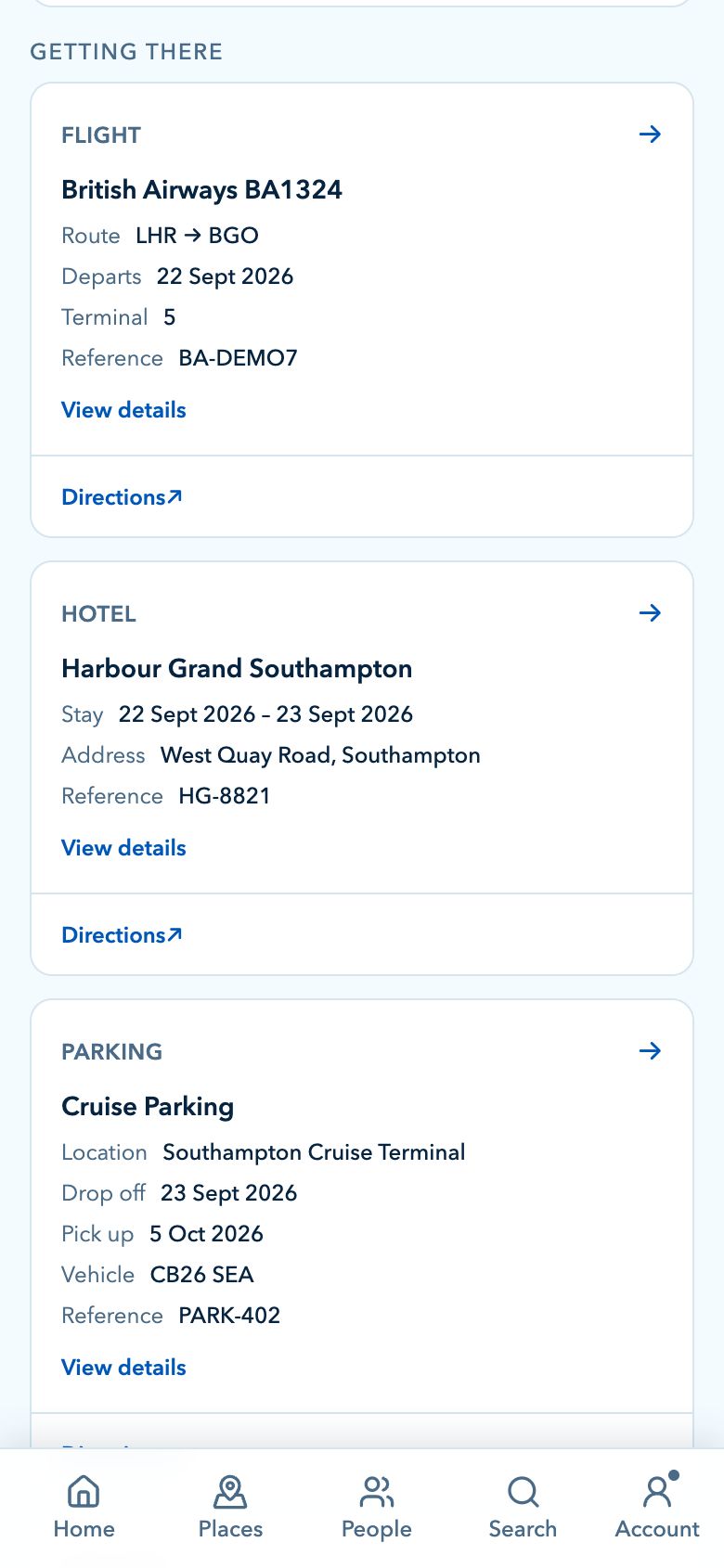
The bookings around the cruise matter too.

Cruises often come with a whole orbit of hotels, flights, parking, transfers and extras. CruiseBuddy gives those details somewhere sensible to live.

Add the travel arrangements that sit around the sailing so your hotel, flight, parking, car hire and extra bookings are visible from the same trip overview.

  • Hotel stays with check-in dates, addresses and references
  • Flights with airports, times, terminals and passengers
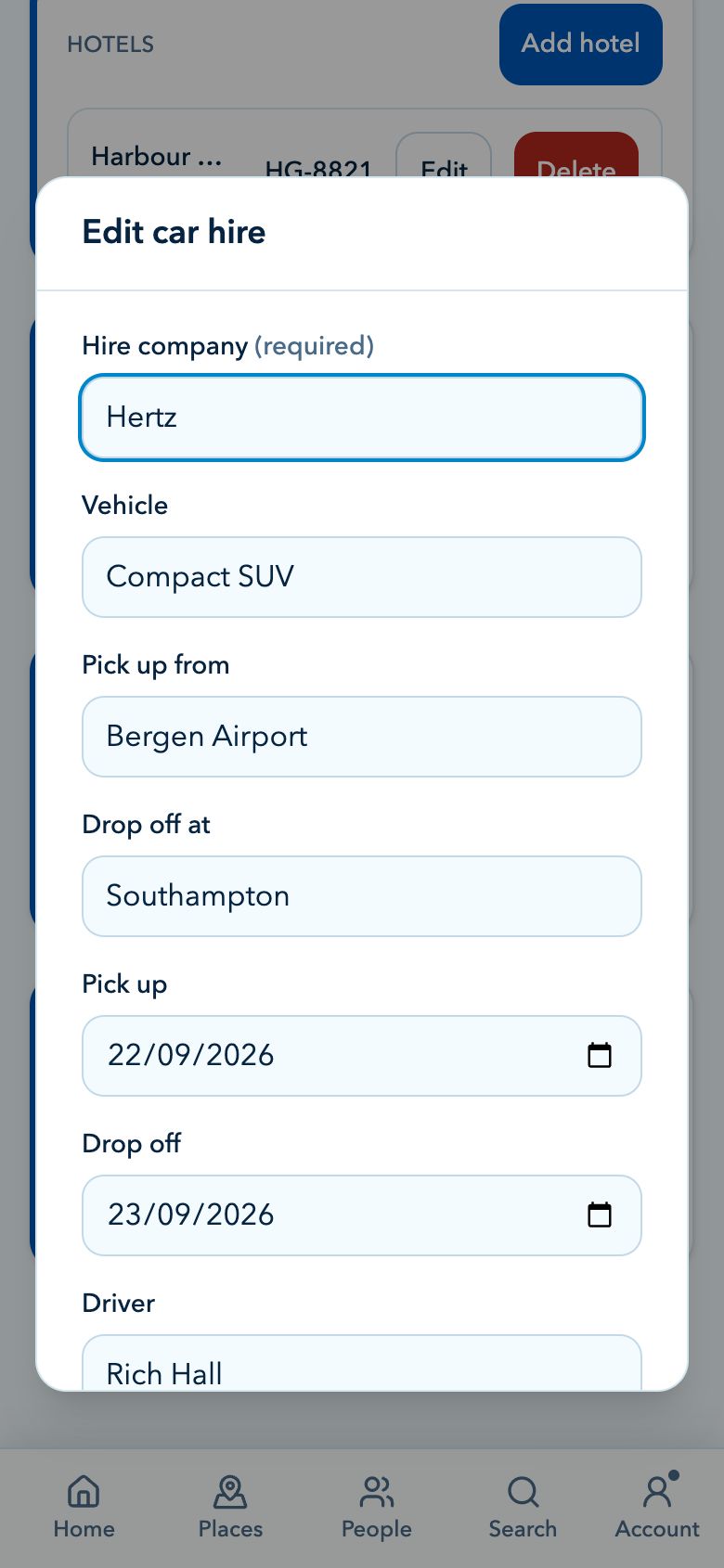
  • Parking and car hire details for travel days
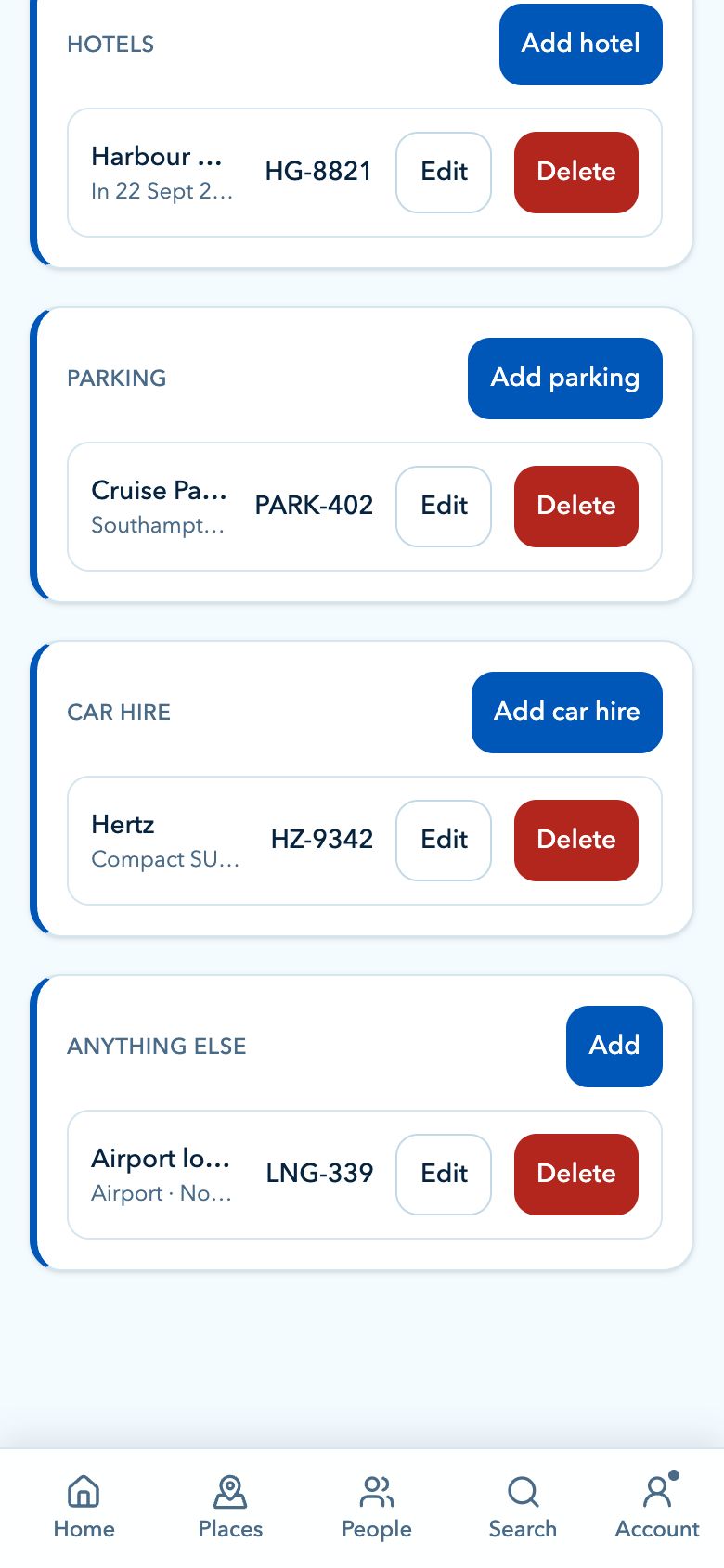
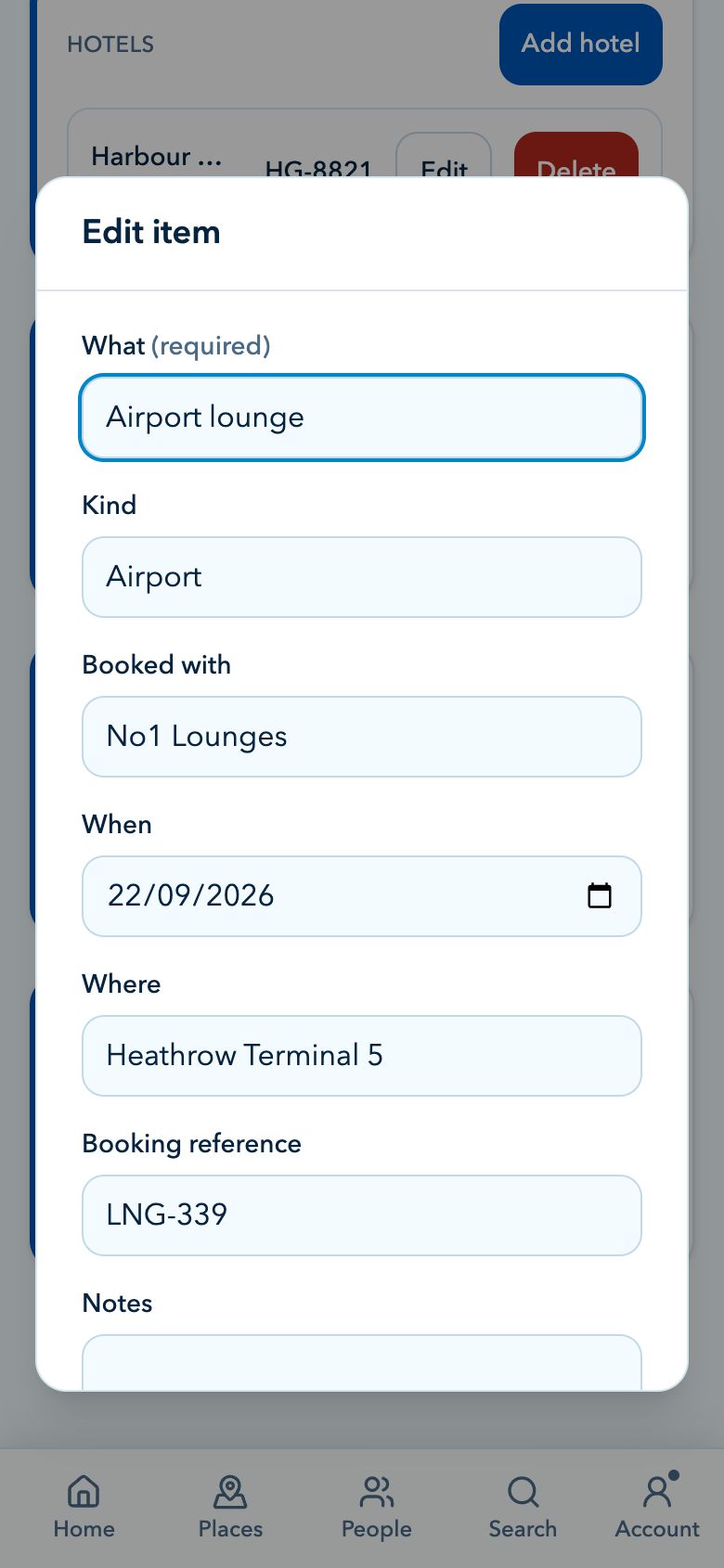
  • Other booked extras, transfers, packages and notes

Hotels

Save pre-cruise and post-cruise stays with addresses, providers, dates, nights, references and contact details.

Flights

Keep airline details, flight numbers, airports, terminals, passenger counts and travel times attached to the right trip.

Parking

Store parking company, location, vehicle registration, booking reference, drop-off and collection notes.

Car hire

Add hire company, pickup and drop-off places, dates, driver, vehicle class and reservation notes.

Other additions

Useful for transfers, packages, restaurants, lounge bookings or anything else that belongs with the cruise.

Directions

Open directions for hotels and airports from the overview when CruiseBuddy has enough location detail.

Money Plus

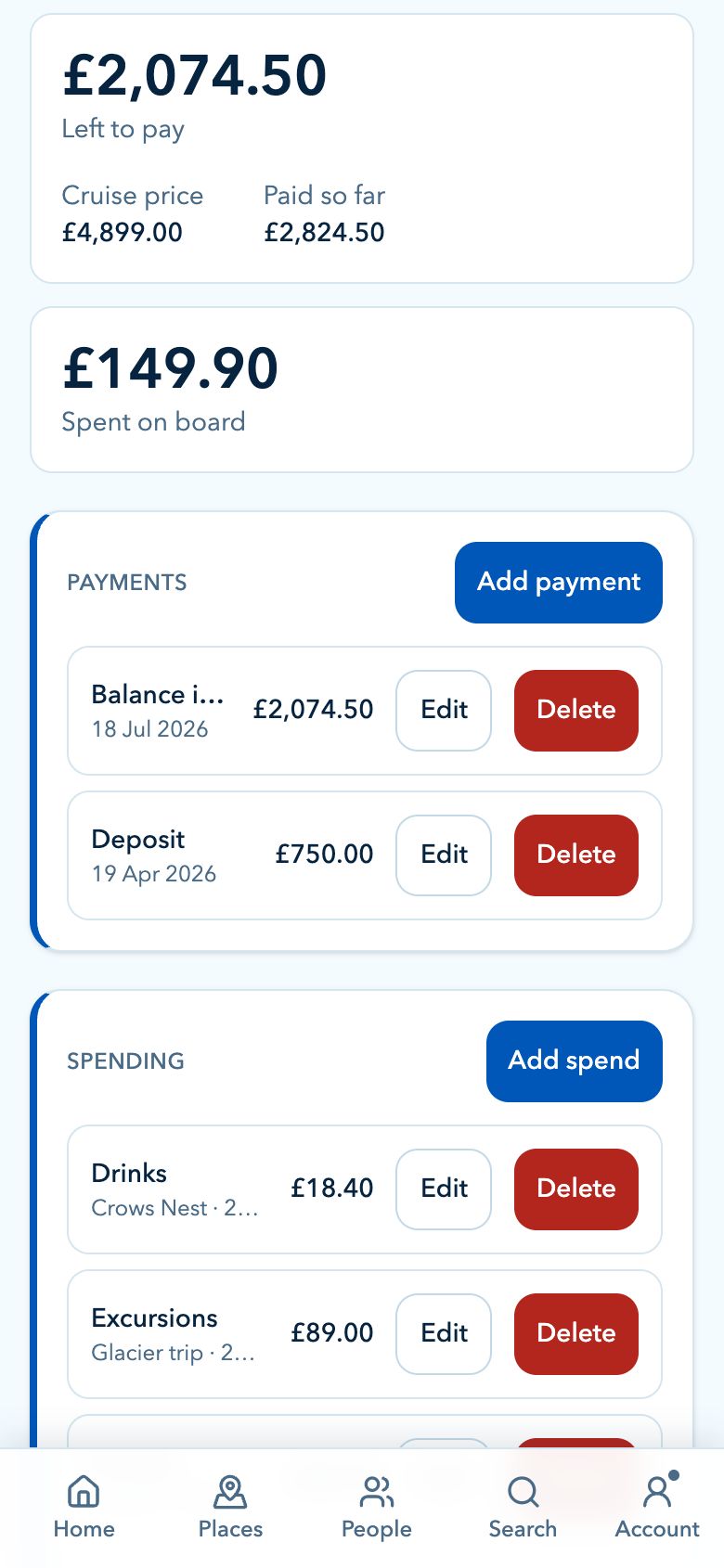
Know what has been paid and what you are spending.

Track the big balance before you sail, then keep day-to-day spending in view while you are away.

Keep the financial side of the cruise visible, from what you have paid before departure to what you spend once the trip is underway.

  • Track the cruise balance before you sail
  • Record deposits, instalments and final payments
  • Keep spending visible during the trip
  • Useful for extras, packages, shore costs and shared purchases

Planner Plus

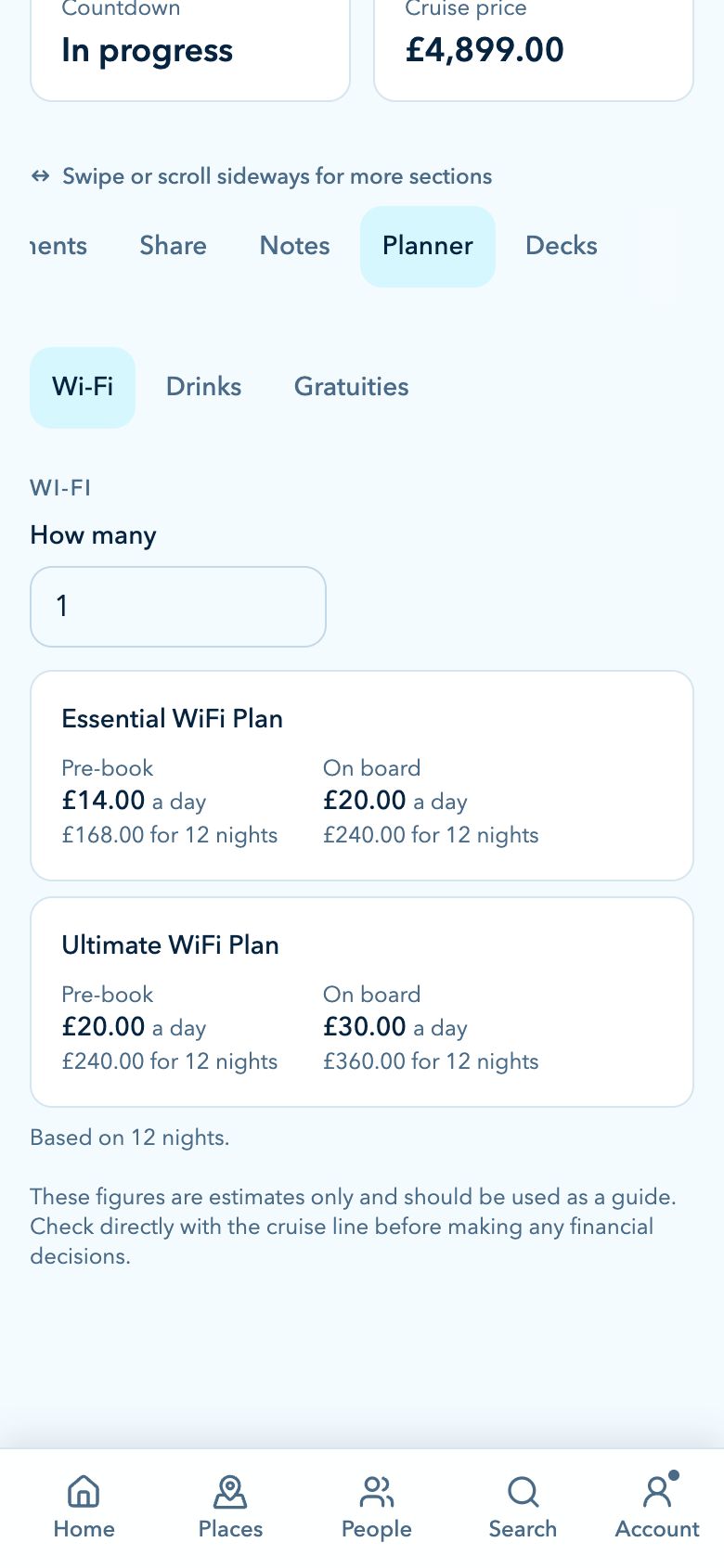
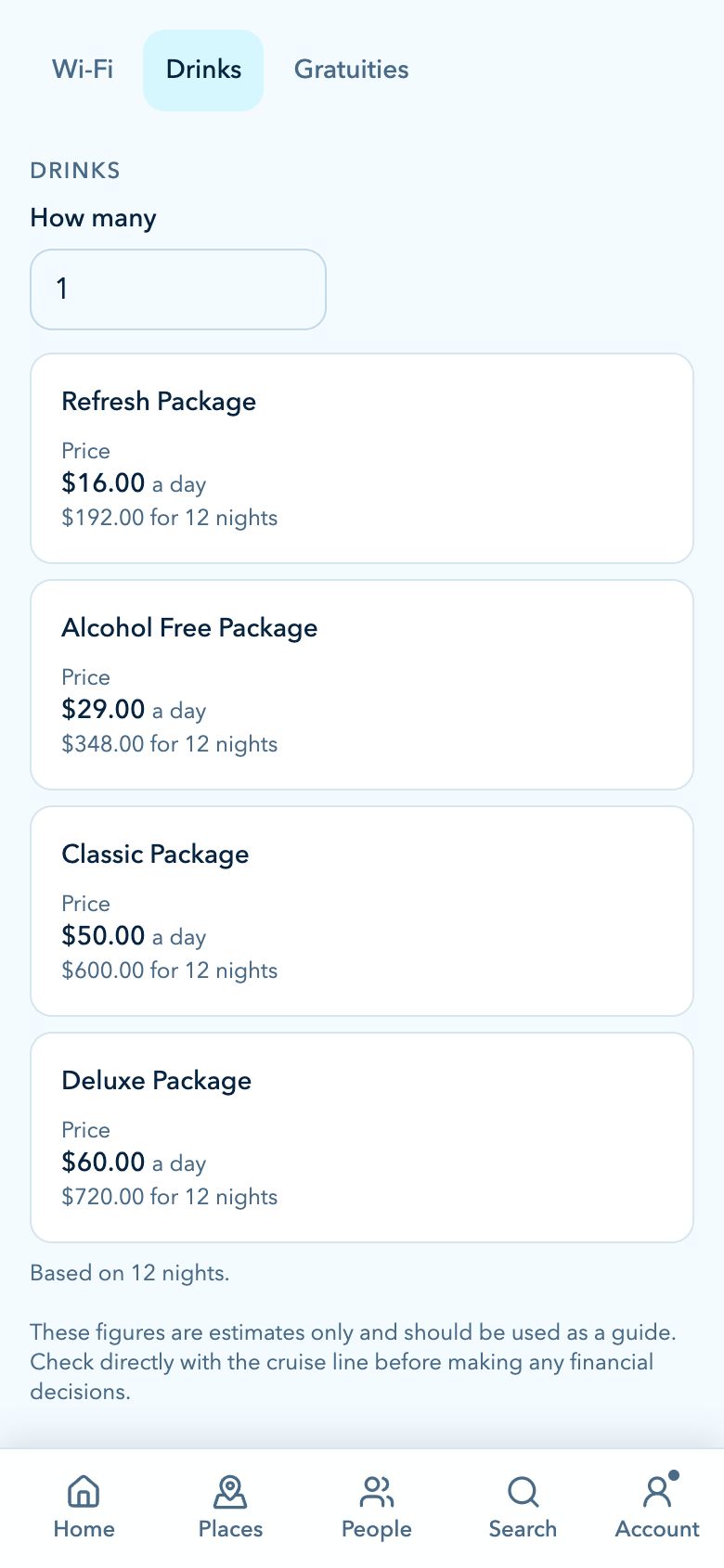
Estimate the extras before you sail.

CruiseBuddy can help you plan the costs that often sit outside the headline fare, using the ship, cruise line, party size and sailing length already saved against the cruise.

Planner estimates are designed as a guide, with source prices shown in USD and converted into your selected app currency where available.

  • Wi-Fi estimates by package, device count and cruise length
  • Drinks package estimates by package, people and sailing days
  • Gratuity estimates based on cruise line, cabin type and party size
  • Available package prices shown below each calculator for comparison

Balance tracking Plus

Track the balance and never miss a due date.

Cruises rarely involve a single payment. Track the deposit, interim instalments and final balance so the cost is always clear and nothing surprises you.

  • Total cost, paid-so-far and remaining balance
  • Reminders for upcoming payment due dates
  • Deposits, instalments and final balance payments
  • Optional extras like parking, gratuities and packages

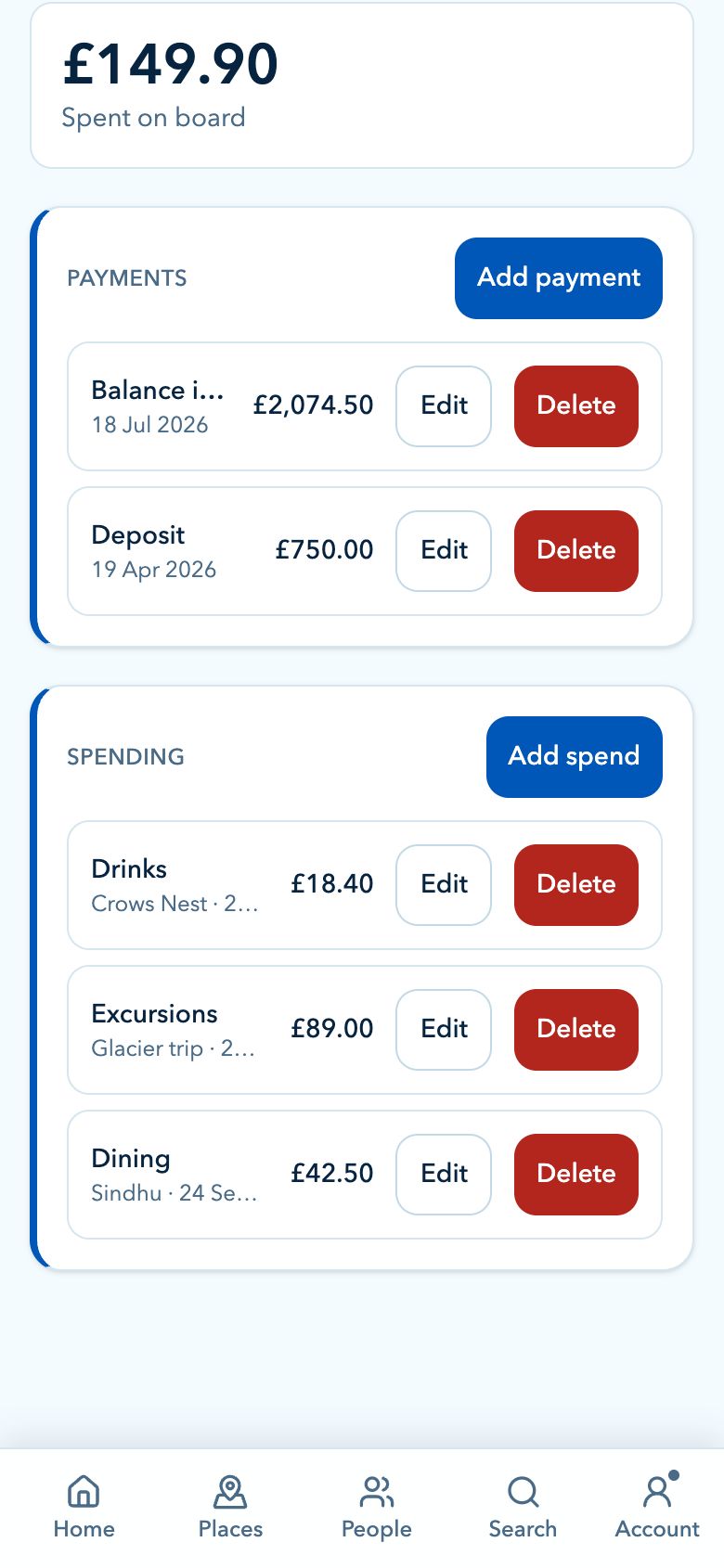
Spending Plus

Track spending during the trip.

Once the cruise starts, keep a separate view of what you are spending on board, ashore and around the trip.

  • Track onboard purchases and extras
  • Record shore spending and port-day costs
  • Keep shared purchases and group costs visible
  • Useful for staying on budget while you are away

Document Management Plus

Keep the paperwork close to the plan.

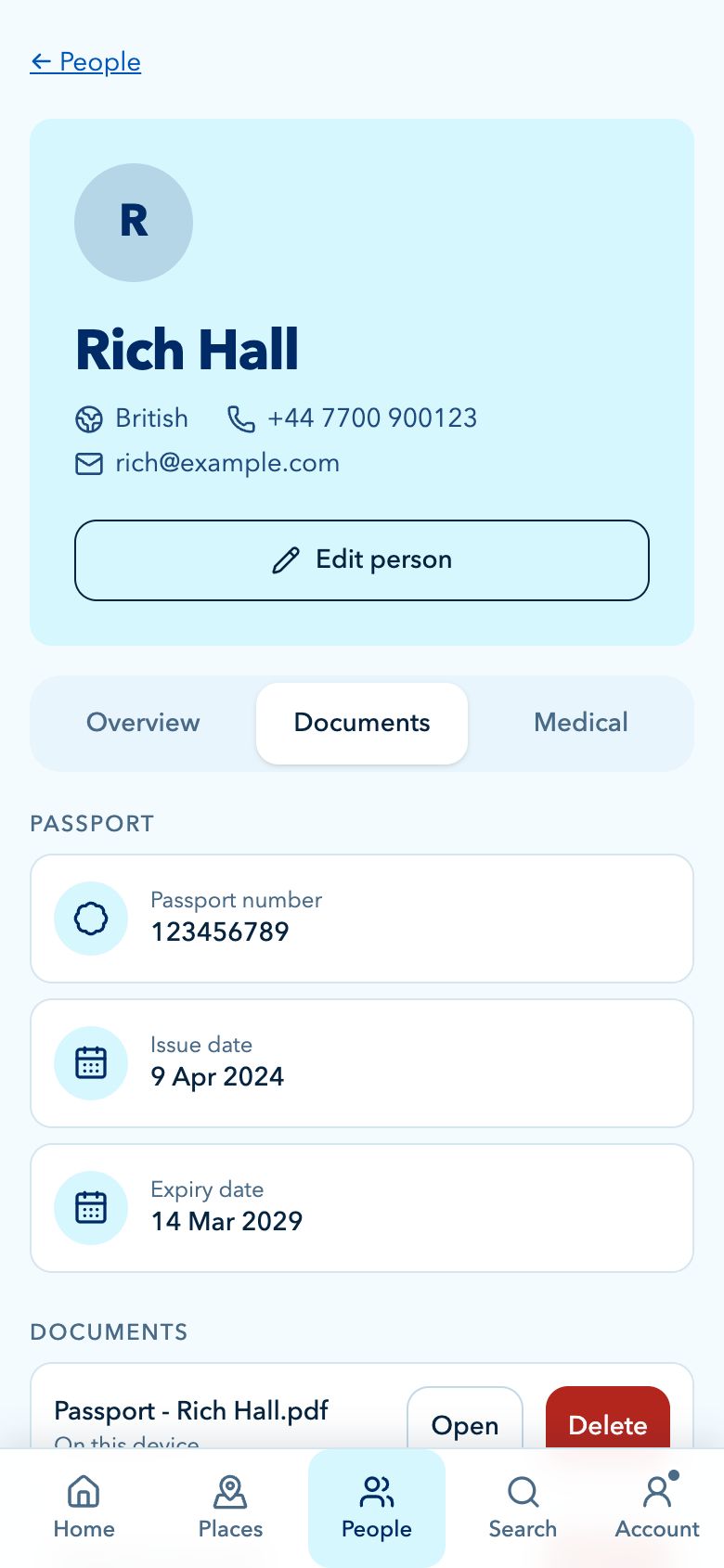
Documents can be attached where they make sense, whether they belong to the whole cruise, a port day or a traveller in your party.

Save PDFs, images and other travel files so the documents you need are next to the relevant cruise detail instead of buried in email threads.

  • Cruise-level documents for tickets and confirmations
  • Port-day documents for excursion vouchers and maps
  • Traveller documents for passports, insurance and medical notes
  • Stored with the cruise so they are easy to find again

Packing lists

Pack for the actual cruise you are taking.

Build packing lists that match the way you travel, from documents and medication to formal-night outfits, pool gear and port-day essentials.

  • Reusable packing lists for future cruises
  • Custom items for dress codes, ports and weather
  • Tick-off progress before you close the suitcase
  • Room for the easy-to-forget cruise-specific bits

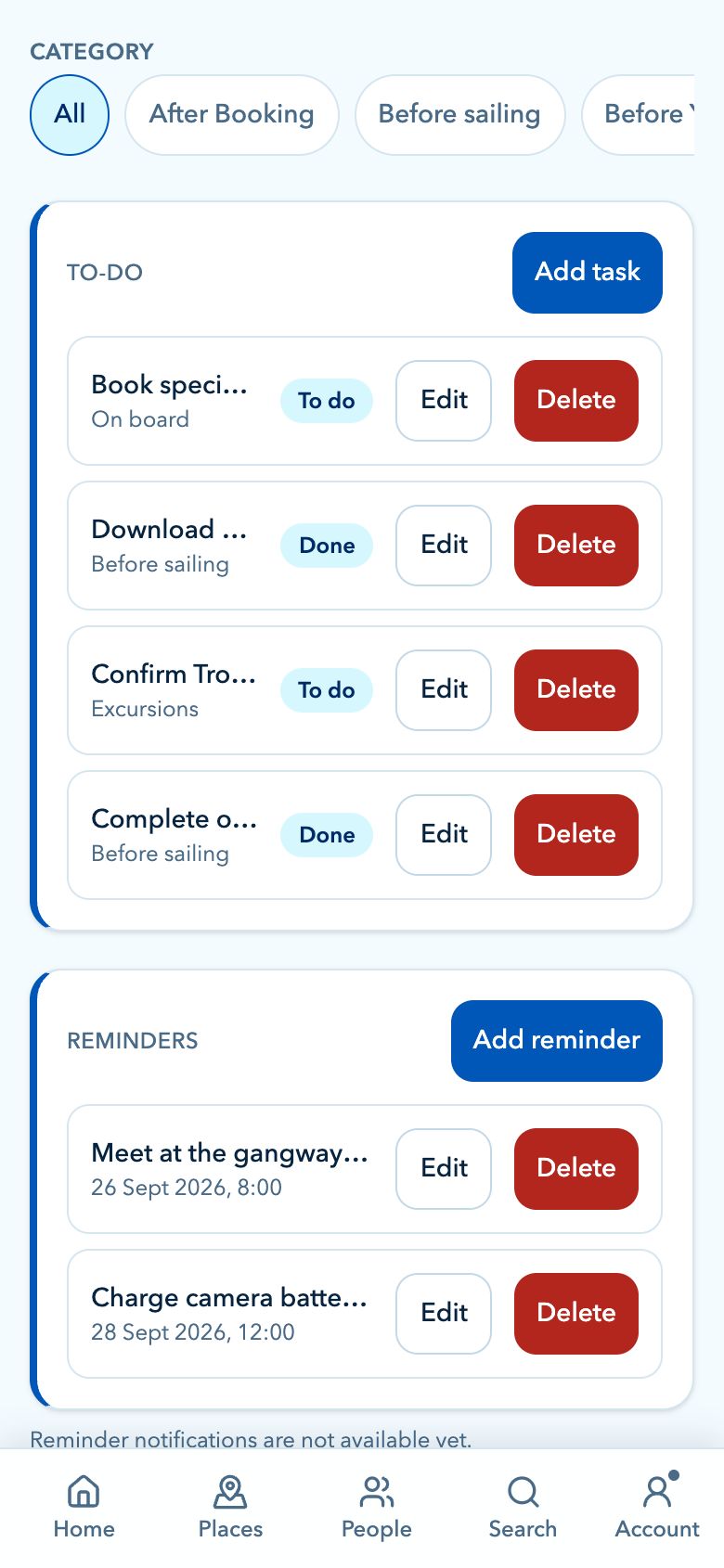
To-do lists

Get the admin done before you sail.

CruiseBuddy gives every cruise a practical to-do area for the jobs that need to happen before departure.

Add your own tasks, group them by category and tick them off as the departure date gets closer, so the important pre-cruise admin does not disappear into scattered notes.

  • Reusable categories for the jobs around your cruise
  • Custom tasks for documents, check-in, packing and travel
  • Simple done/not-done tracking
  • Progress visible from the cruise planning tabs

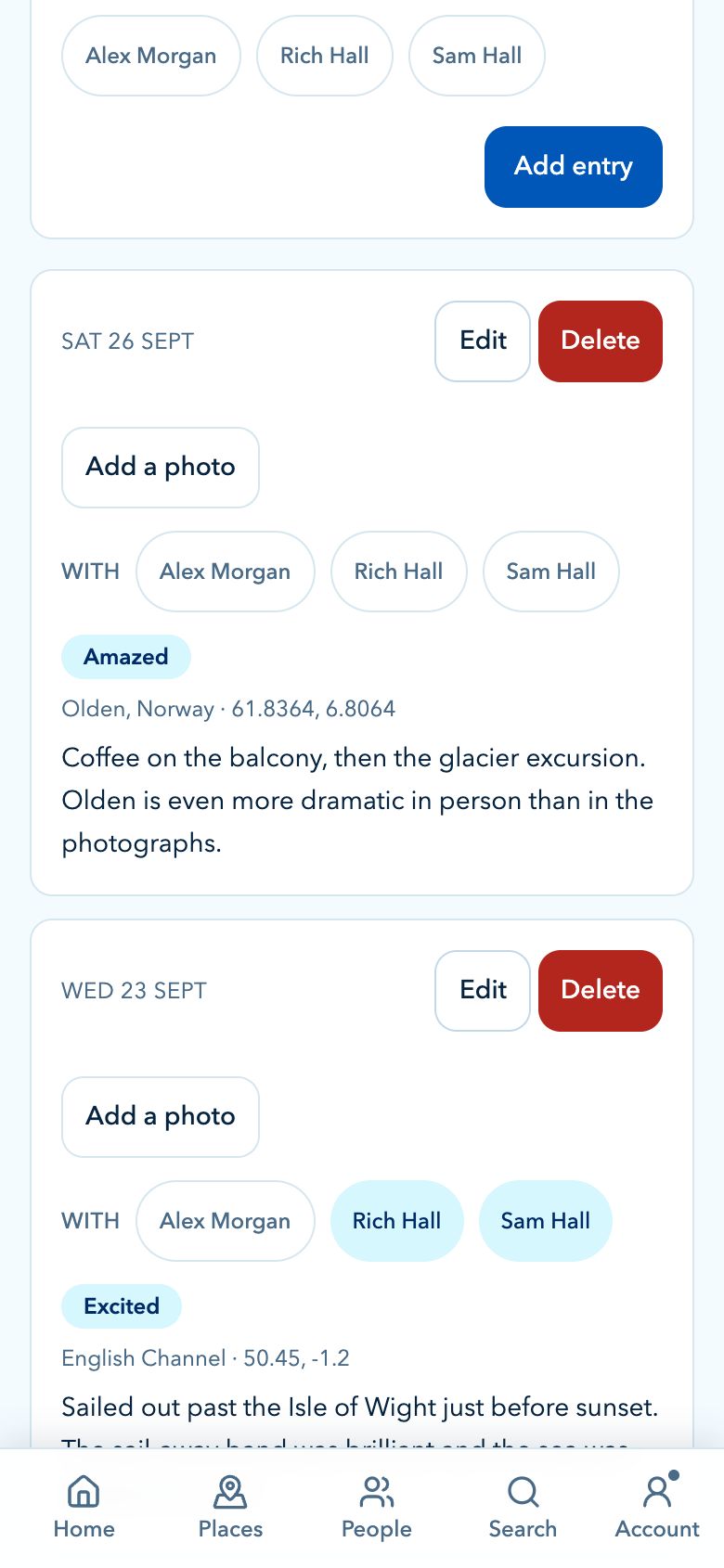
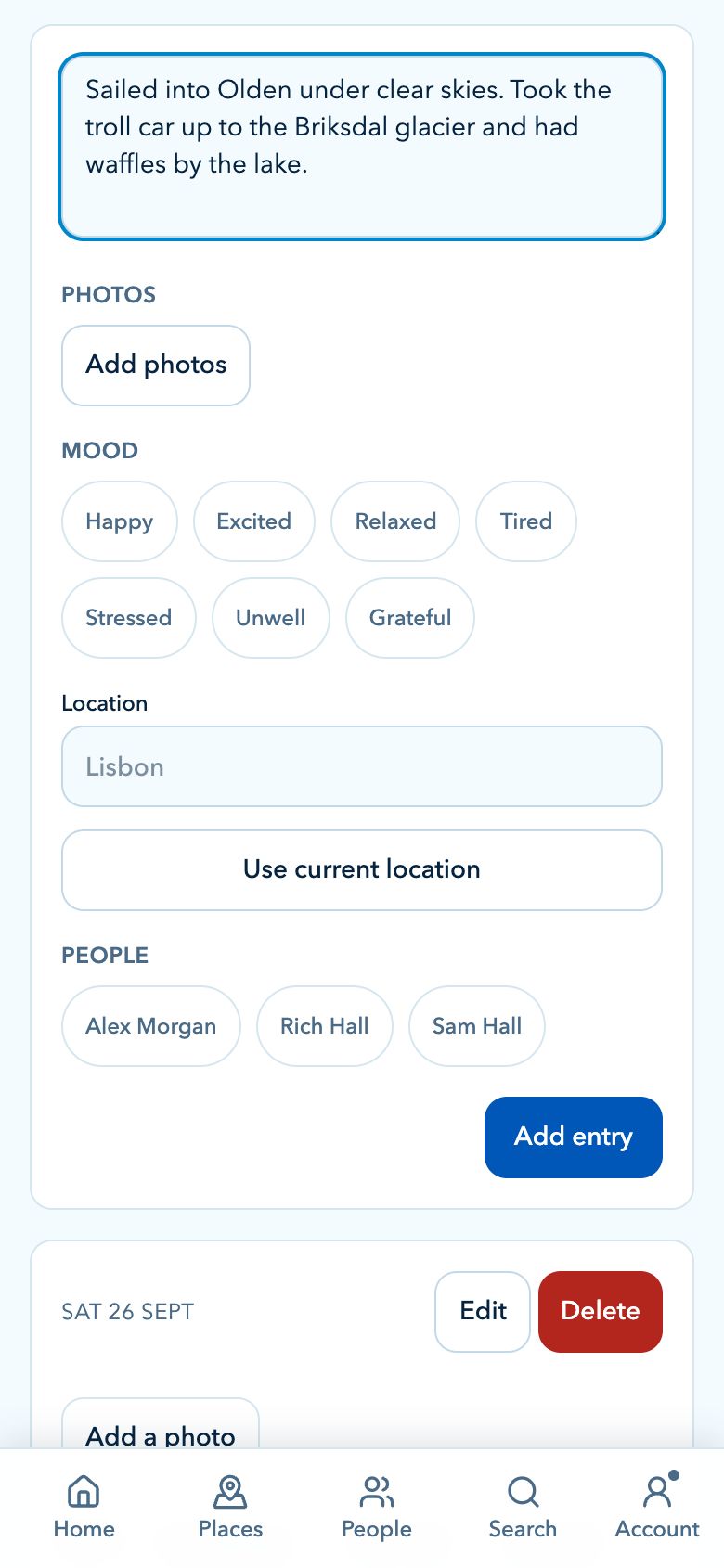
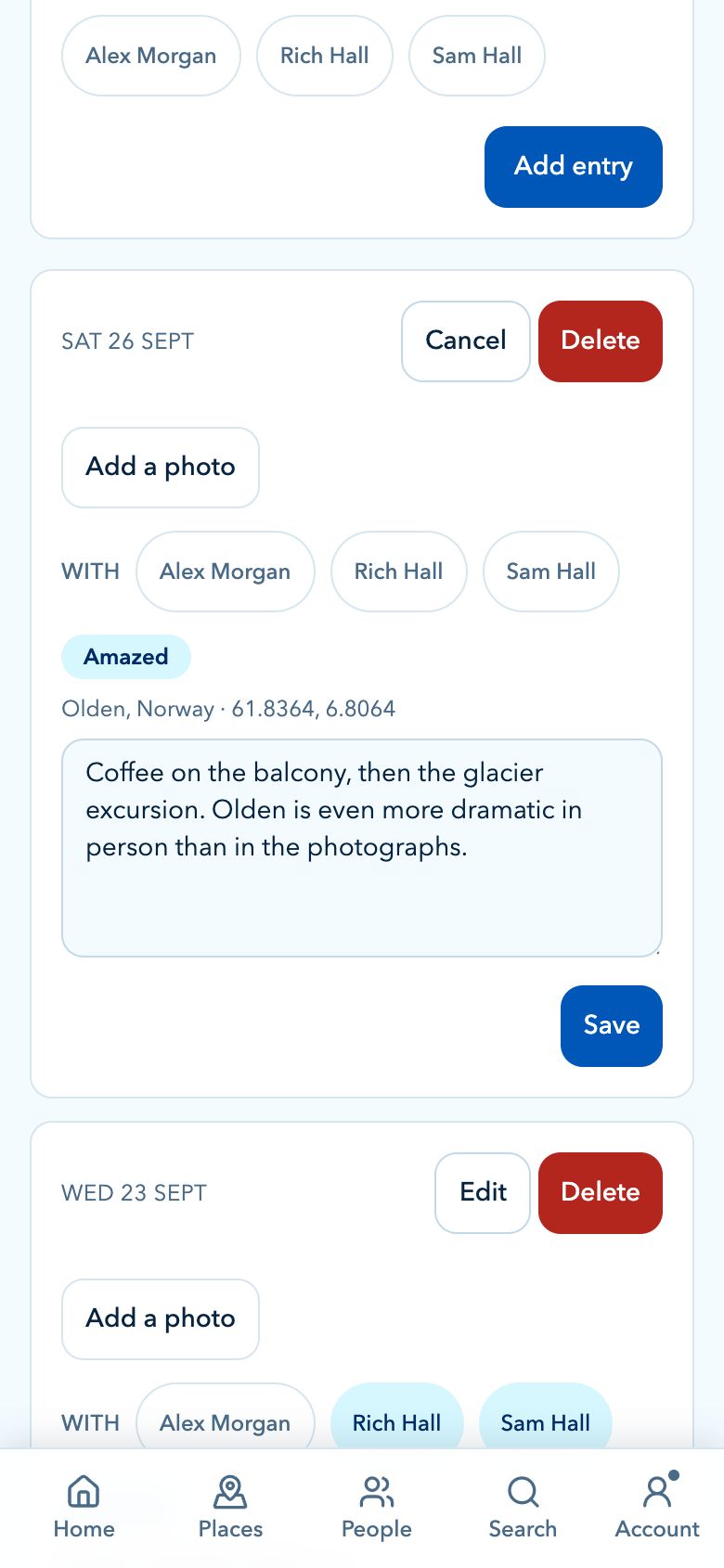
Journal Plus

Keep the moments that do not fit in a booking reference.

Add journal entries as the cruise unfolds, whether you want a quick note about dinner, a port-day memory or a place to keep highlights from each day.

  • Markdown notes for richer cruise memories
  • Photos attached to each journal entry
  • Mood, location and place labels for extra context
  • Tag people from your travel party in the moments you share

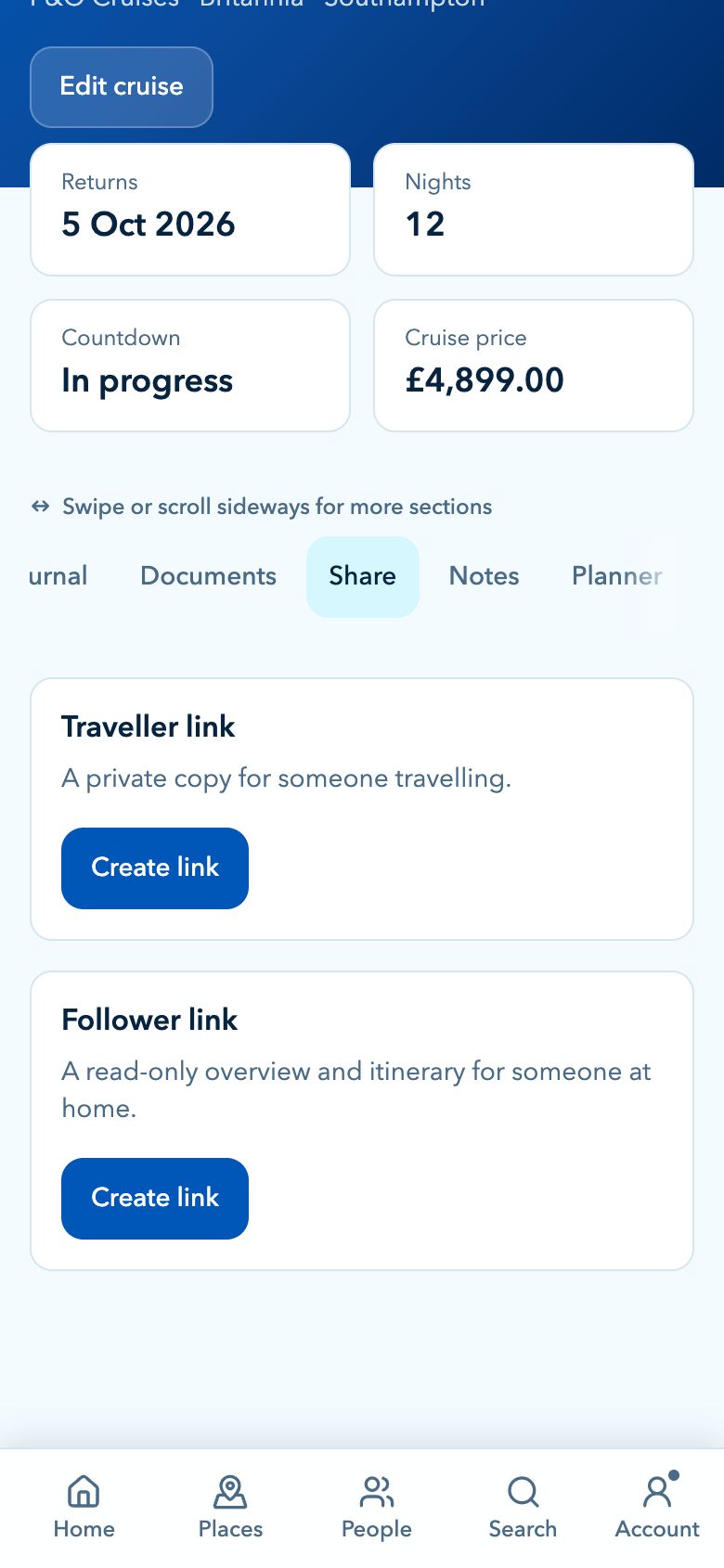
Encrypted sharing

Share the right cruise details with the right people.

Travel companions may need the full plan. Family and friends may only need the broad details. CruiseBuddy supports both without sharing your account.

Send a secure traveller link with the fuller plan, or create a lighter follower link with a read-only overview and itinerary for family and friends following along from home. More on sharing

  • End-to-end encryption with AES-256-GCM
  • Traveller links for people sailing with you
  • Follower links for read-only overview and itinerary sharing
  • Reusable links until they expire
  • Anyone with the full link can open the shared cruise

People management

Keep your travel party details together.

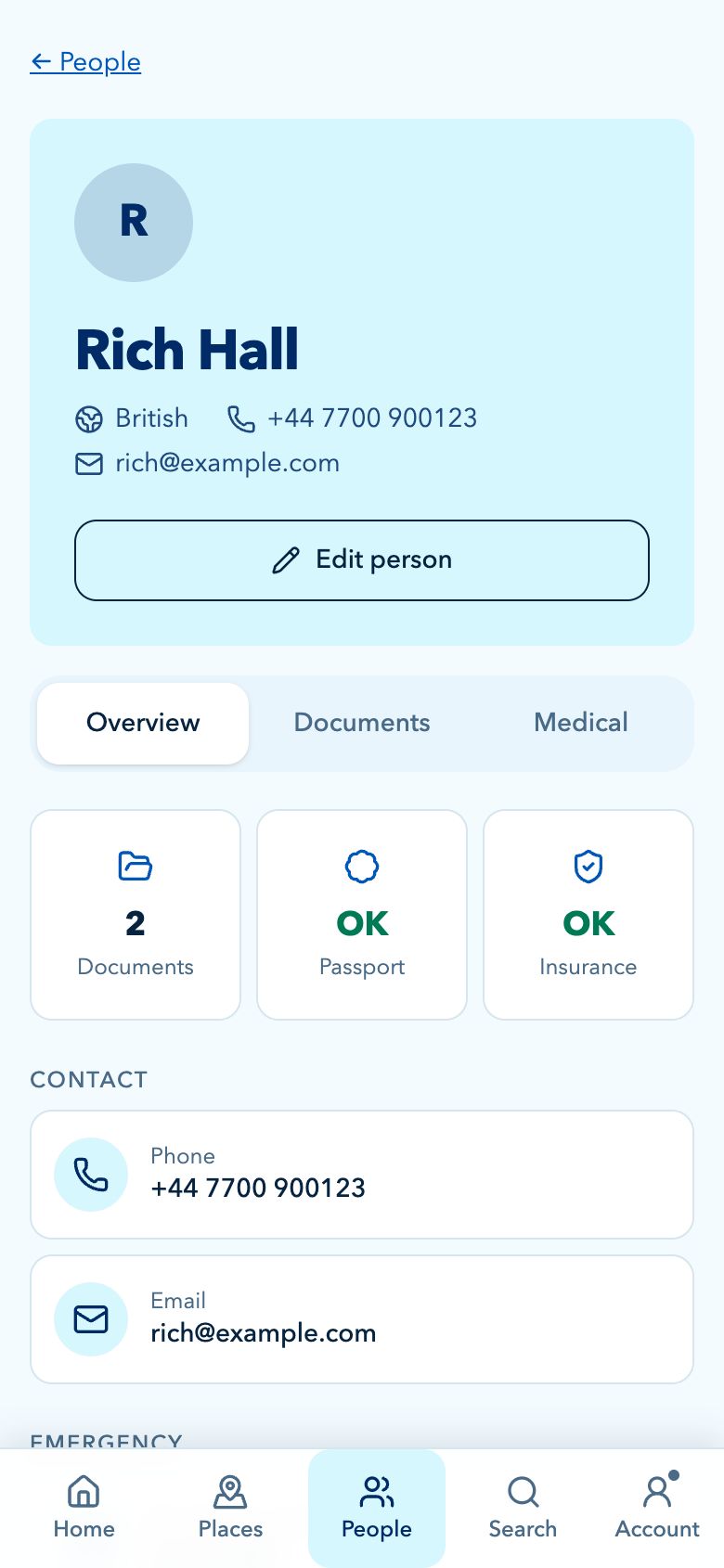
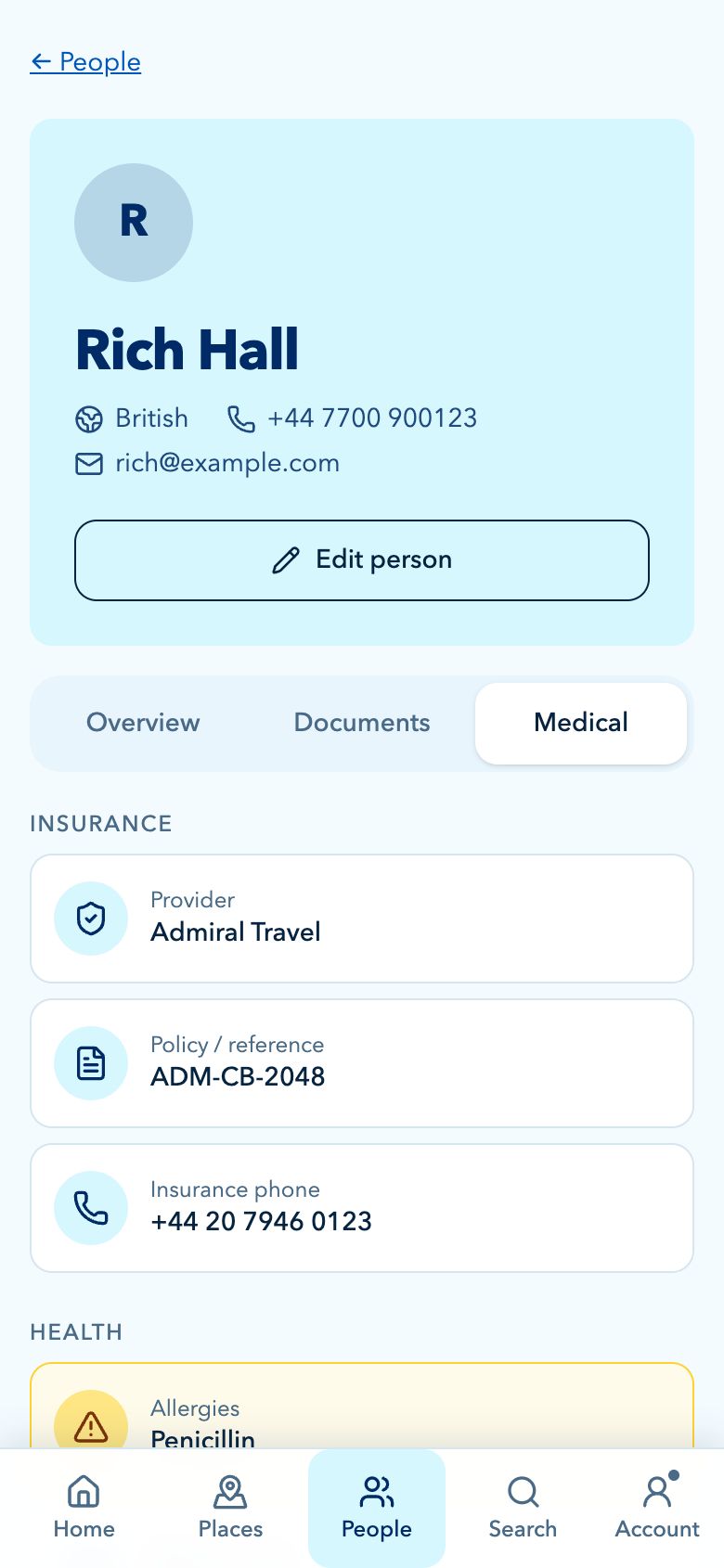
People Management is its own planning area for the travellers connected to a cruise, especially when you need important details close by but protected.

Store useful traveller information for your party, encrypted like everything else, and lock the browser from Settings when you step away from a shared computer.

  • Keep party details connected to the right cruise
  • Passport, nationality and insurance details where needed
  • Allergies, medical notes and emergency contacts
  • Documents for individual people, such as passports and insurance Plus
  • Designed for the practical admin that comes with group travel

Ship and app

Helpful details from the ship to your home screen.

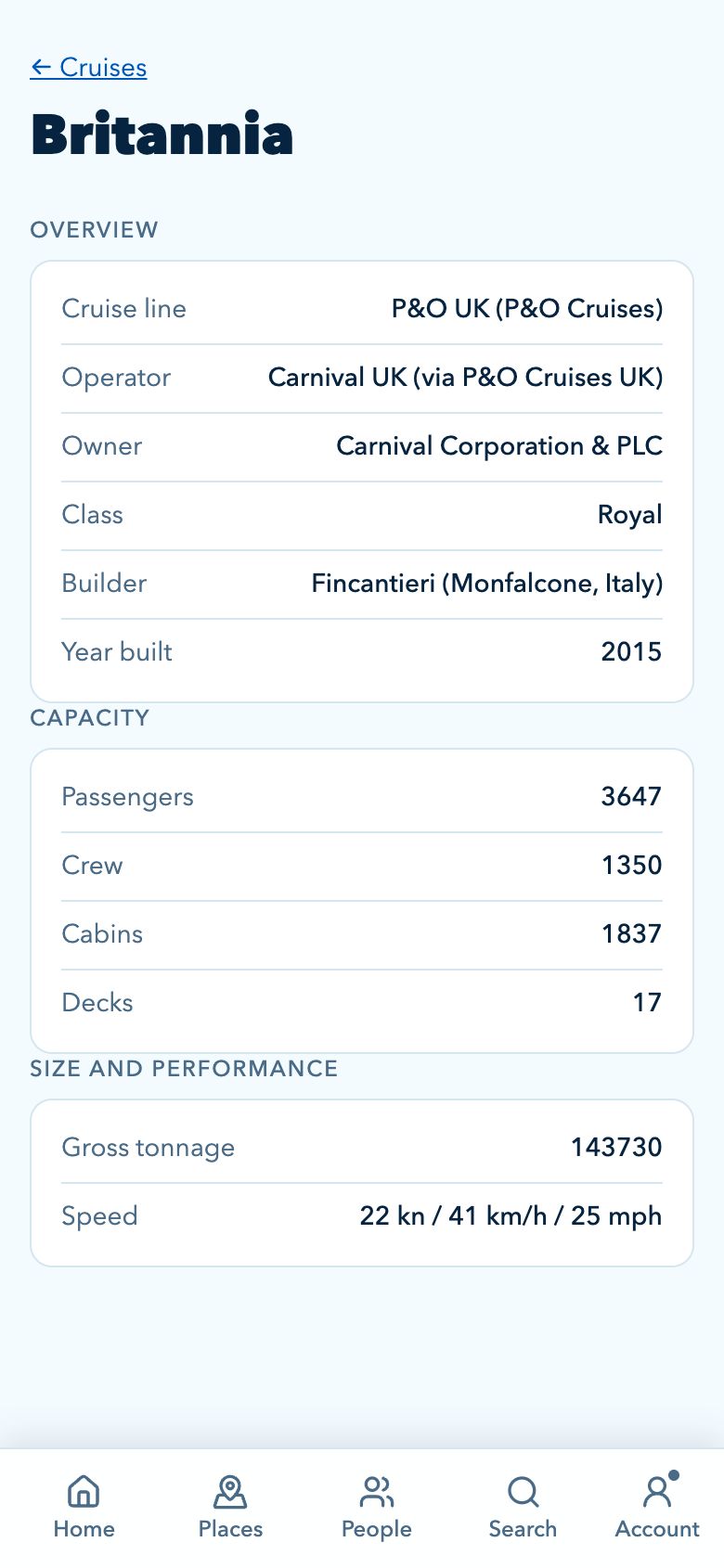
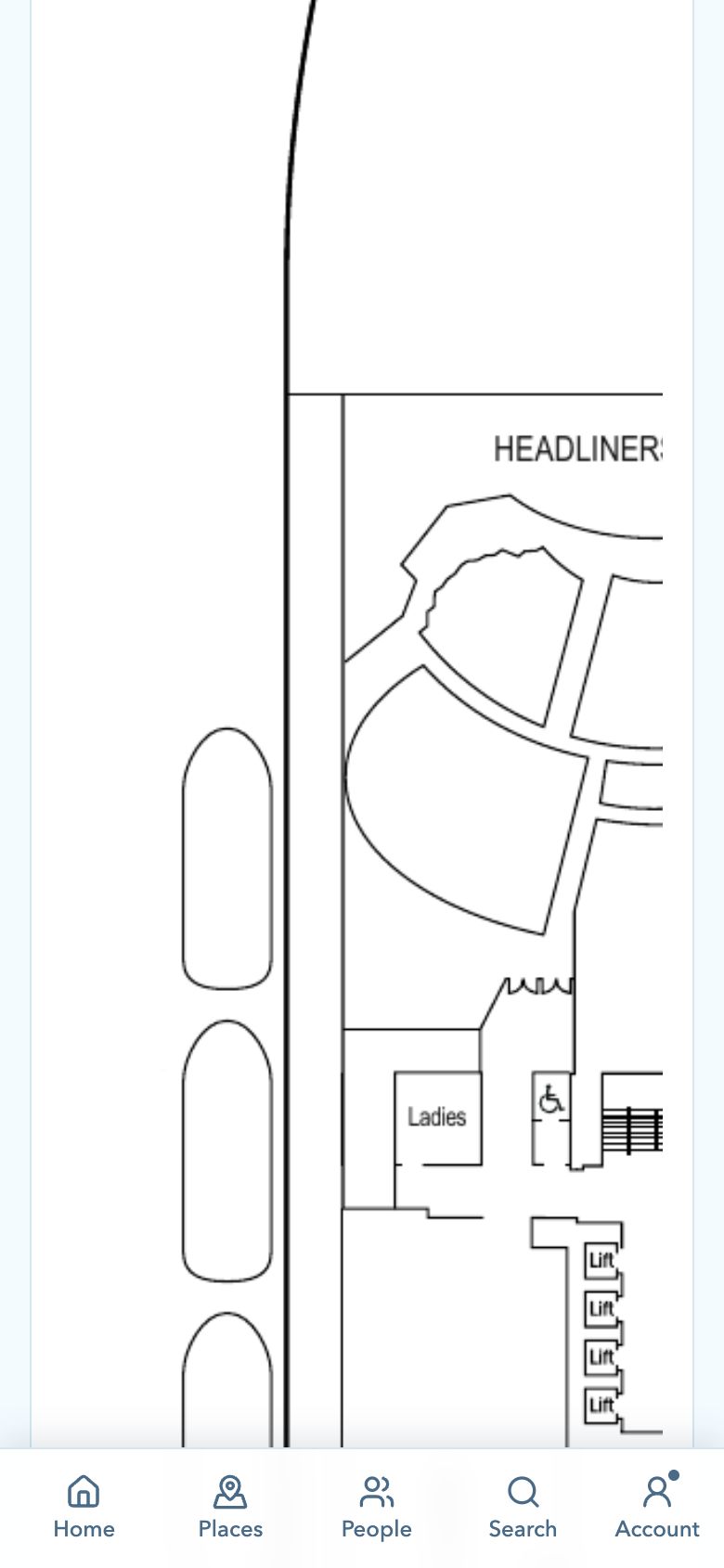
CruiseBuddy also includes ship reference details, deck plans where supported, light and dark modes, and an app you can install on your home screen straight from your browser.

Keep useful ship facts with the cruise, then use the app in the way that suits your device, privacy needs and home screen.

  • Ship facts including line, operator, size and capacity
  • Deck plans where published, currently Arvia and MSC Virtuosa Plus
  • Light, dark or system appearance
  • Installs on iPhone, Android and desktop, and works offline

Deck information Plus

Browse deck plans from the cruise, deck by deck. Plans are currently published for Arvia and MSC Virtuosa.

In development

Lock this browser

Lock CruiseBuddy from Settings on a shared computer. It also locks itself after a week without use.

Light and dark modes

Choose light, dark or system appearance from settings so the app matches how you use your device.

Install on your home screen

Add CruiseBuddy to your home screen or dock so it opens full screen and works without a signal. See how.

Ready to plan your next cruise?

Open CruiseBuddy in your browser on any device, then add it to your home screen.